笔记本电脑屏幕清洁终极指南:避免酒精损坏涂层的正确方法
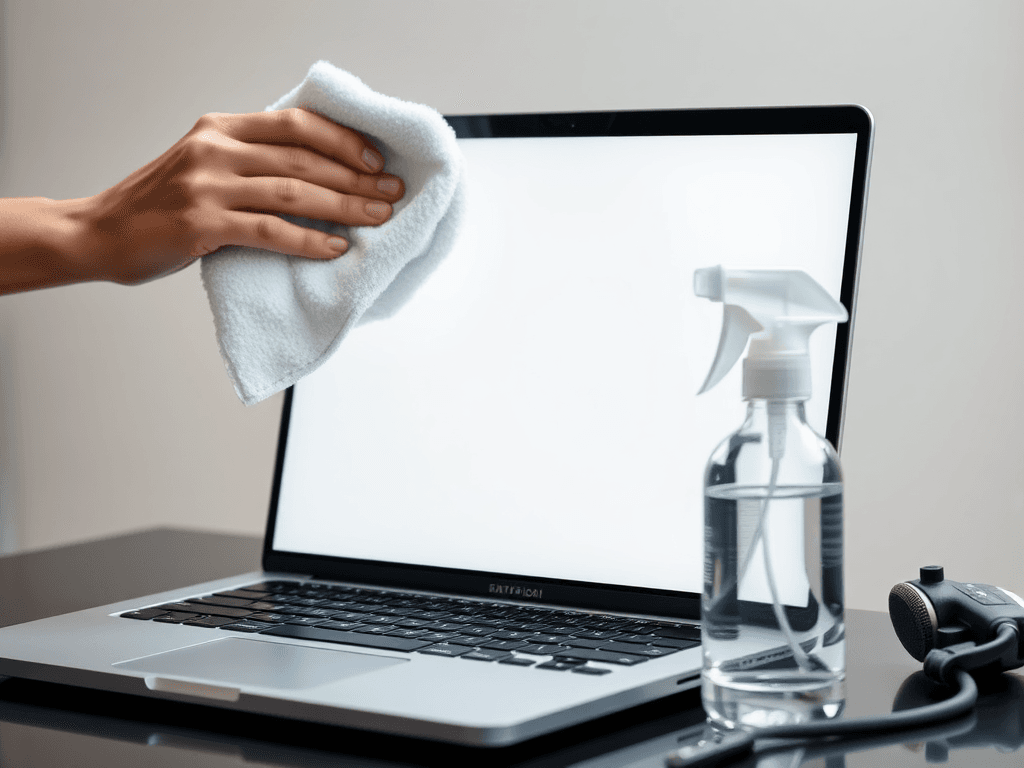
English Summary: This article provides a comprehensive guide to safely cleaning laptop screens, emphasizing the risks of using alcohol on coated screens, proper cleaning techniques to avoid damage, and recommendations for effective cleaning products. (中文摘要翻译:本文全面指导如何安全清洁笔记本电脑屏幕,强调在涂层屏幕上使用酒精的风险、避免损坏的正确清洁技巧,以及有效清洁产品的推荐。)
Keeping your laptop screen pristine is a common concern, yet many users inadvertently risk damaging their expensive devices with improper cleaning techniques. Beyond simple fingerprints, screens accumulate dust, oils, and other contaminants. While using a quality cleaner with a suitable cloth is ideal, a widespread lack of knowledge about safe practices persists. Before delving into a comparative analysis of specific cleaning products, it's crucial to establish foundational principles and methods for effective and safe screen maintenance.
保持笔记本电脑屏幕洁净是用户的普遍需求,然而许多人因使用不当的清洁方式,无意中可能损坏他们昂贵的设备。除了简单的指纹,屏幕还会积聚灰尘、油脂和其他污染物。虽然使用优质清洁剂搭配合适的布料是最佳选择,但关于安全操作的知识普及仍然不足。在对特定清洁产品进行对比分析之前,确立有效且安全的屏幕维护基本原则和方法至关重要。
Core Principles for Safe Screen Cleaning
1. Use Alcohol with Extreme Caution
Alcohol is an organic solvent. This bears repeating: alcohol is an organic solvent. This property means that using an alcohol-soaked cloth to wipe your screen carries the risk of damaging the organic coatings often applied to screen surfaces. You should first identify your screen panel model and confirm whether it has a separate organic coating. The concentration of alcohol is also critical. Ordinary 75% alcohol wipes typically won't cause issues with brief, careful use, but you must never allow liquid alcohol to seep into screen bezels or internal components. Using high-concentration solutions (e.g., 99% ethanol) excessively poses a higher risk of damage.
That said, if you've historically used alcohol sparingly—by lightly spraying it onto a cloth and wiping quickly—the low volume, moderate concentration, and rapid evaporation usually prevent immediately visible problems. For glossy screens with a bare glass panel and no additional organic coating, it is generally safe to use alcohol applied to a microfiber cloth or alcohol wipes. Alcohol can also be safely used on areas without coatings, such as metal chassis or keyboard surfaces, and is particularly effective against stubborn stains on metal.
Key Takeaway: If you are not absolutely certain about your screen's coating, err on the side of caution and avoid alcohol.
酒精是一种有机溶剂。这一点值得重复强调:酒精是一种有机溶剂。这一特性意味着,使用浸透酒精的布料擦拭屏幕,有可能损坏屏幕表面常用的有机涂层屏幕表面用于防眩光、防指纹或增强显示效果的化学涂层,易被有机溶剂损坏。。你应首先确认屏幕面板型号,并查明其是否附有独立的有机涂层屏幕表面用于防眩光、防指纹或增强显示效果的化学涂层,易被有机溶剂损坏。。酒精浓度也至关重要。普通的75%酒精湿巾在短暂、小心的使用下通常不会造成问题,但绝对不可让酒精液体渗入屏幕边框或内部组件。过量使用高浓度酒精溶液(如99%乙醇)则带来更高的损伤风险。
话虽如此,如果你历来只是少量使用酒精——将其轻微喷在布上并快速擦拭——由于用量少、浓度适中且挥发快,通常不会立即引发可见问题。对于表面仅为玻璃、没有额外有机涂层屏幕表面用于防眩光、防指纹或增强显示效果的化学涂层,易被有机溶剂损坏。的镜面屏表面光滑如镜的屏幕,优点是亮度高、色彩鲜艳通透;缺点是易反光、易沾指纹。,使用喷在超细纤维布上的酒精或酒精湿巾通常是安全的。酒精也可安全用于没有涂层的区域,如金属机身或键盘表面,并且对清除金属上的顽固污渍特别有效。
核心建议: 如果你不能完全确定屏幕的涂层情况,请谨慎行事,避免使用酒精。
2. Never Spray Liquid Directly Onto the Device
Laptops are not fully waterproof. Liquid can easily seep from the surface or ports into the internal motherboard circuitry. Therefore, you must never directly spray any cleaning liquid onto a laptop screen or keyboard. Liquid applied this way can flow through gaps or interfaces into the device's interior, causing malfunctions.
Notably, Apple laptops contain a humidity sensor within the keyboard assembly. If direct spraying triggers this sensor, it may void the warranty, as liquid damage is typically excluded from coverage. Most other manufacturers have similar policies. Repairs for liquid damage are almost always an out-of-pocket expense for the user.
笔记本电脑并非完全防水。液体很容易从表面或接口渗入内部主板电路。因此,绝对不可将任何清洁液直接喷洒在笔记本电脑屏幕或键盘上。以这种方式使用的液体会通过缝隙或接口流入设备内部,导致故障。
值得注意的是,苹果笔记本电脑的键盘组件内部装有湿度传感器。如果直接喷洒清洁剂触发此传感器,可能导致保修失效,因为液体损坏通常不在保修范围内。大多数其他制造商也有类似政策。液体损坏的维修费用几乎总是需要用户自行承担。
3. Avoid Making the Problem Worse: The Right Cloth Matters
Your choice of cleaning cloth is paramount; using the wrong material can leave your screen dirtier than before. Everyday items like rough paper towels, cotton pads, wet wipes, ordinary cotton cloth, or coarse towels are generally unsuitable for direct screen contact. The primary reason is linting.
If a cloth sheds fibers or lint during wiping, these tiny particles will settle on the screen. Combined with static electricity generated by friction, this can actually attract more dust, creating a "the more you wipe, the dirtier it gets" effect.
The ideal materials are lint-free cloths: microfiber cloths, chamois, or high-quality car detailing towels. These are designed to trap dust without leaving residue behind.
清洁布料的选择至关重要;使用错误的材料可能让屏幕变得比清洁前更脏。日常用品如粗糙的纸巾、棉柔巾、湿巾、普通棉布或粗毛巾通常不适合直接接触屏幕。主要原因是掉毛。
如果布料在擦拭过程中脱落纤维或绒毛,这些微小颗粒会附着在屏幕上。加上摩擦产生的静电,这实际上会吸附更多灰尘,造成"越擦越脏"的效果。
理想的材料是无绒布不掉落纤维的清洁布料,如细纤维布、珍珠布,适合擦拭屏幕以避免残留绒毛。:超细纤维布、麂皮或高质量洗车毛巾。这些布料的设计旨在吸附灰尘而不留下残留物。
4. Are Protective Accessories Necessary?
Are keyboard covers, screen protectors, or cleaning slime necessary? A personal perspective: keyboard covers can be considered situationally, while screen protectors and cleaning slime are not recommended.
Keyboard Covers: These thin overlays can effectively prevent crumbs, dust, hair, or snack debris from falling into keyboard mechanisms and may offer a brief (e.g., 3-second) buffer against spilled liquids. Downsides exist: they further degrade often already mediocre keyboard feel. Oil and grime accumulate on the cover and can transfer onto the screen when the lid is closed. They are also aesthetically unappealing and can dim keyboard backlighting. Recommendation: If you use one, buy them in bulk (10-20 pieces) cheaply and replace them every week or two when dirty.
键盘膜: 这层薄覆盖膜能有效防止碎屑、灰尘、头发或零食残渣掉入键盘缝隙,并可能在液体意外泼洒时提供短暂(例如3秒)缓冲。缺点也存在:它们会进一步恶化本就一般的键盘手感。油脂和污垢积聚在膜上,合上盖子时可能印到屏幕上。它们也不美观,并会影响键盘背光效果。建议: 如果使用,可批发购买(10-20张),价格便宜,每用一两周脏了即换。
Screen Protectors: Tempered glass protectors are largely pointless for laptops, as scenarios involving direct impact to the screen are rare. Soft plastic films only guard against scratches, but laptops seldom encounter abrasive objects on their screens. Thus, they are generally unnecessary.
屏幕膜: 钢化膜对于笔记本电脑大多没有意义,因为屏幕直接受到撞击的场景很少。普通软膜的唯一作用是防刮花,但笔记本电脑屏幕很少会与其他异物摩擦。因此,通常没有必要。
Cleaning Slime: The experience often falls short of the promise. Personal past use resulted in the slime picking up dust but leaving a strange, slightly damp, gel-like residue on the keyboard. After a couple of weeks, the slime's texture changed, and it ended up leaving sticky bits lodged in the keyboard keys, requiring tedious removal.
清洁软胶: 实际体验往往不如想象美好。个人过去使用的经历是,软胶滚过键盘后确实沾出了灰尘,但在整个键盘上留下了一种奇怪、略带湿气的凝胶般触感。一两周后再取出使用,软胶手感已变得怪异,一用就坏,直接留了一点粘性物质在键盘缝里,清理了一上午……
The Best Protection: The most effective measures are behavioral: avoid eating snacks, combing hair, scratching your scalp, or touching your face while using the laptop. Don't poke the screen, discourage others from doing so, wash your hands frequently, and clean the device regularly.
最佳保护措施: 最有效的措施是行为上的:使用笔记本电脑时避免吃零食、梳头、挠头皮或摸脸。不要戳屏幕,阻止他人戳屏幕,勤洗手,并定期清洁设备。
Product Deep Dive: The iKlear Cleaning Kit
Having established the ground rules, let's examine a specific product: the iKlear cleaning kit. It is relatively expensive but highly effective.
According to its official documentation, iKlear contains no alcohol, ammonia, sodium lauryl sulfate (SLS), or butyl cellosolve. It is formulated to be chemically inert, safe for screen coatings, non-flammable, and non-toxic. The manufacturer states it is safe for children and pets, and even if ingested, it is not absorbed by the body. Its chemical formulation is described as a "Polysiloxane emulsion."
iKlear provides clear first-aid guidelines: rinse with water for 15 minutes if it contacts eyes. No special treatment is needed for skin contact or inhalation. If ingested, drinking several glasses of water is recommended. Toxicological information indicates no acute dermal toxicity, and available data does not indicate carcinogenicity. Reports from IARC, OSHA, and NTP assess that the content of any probable/possible/known carcinogens is less than 0.1%.
Purchasing the complete kit with cloths is advised. The included cloths are of exceptional quality—very fine and supplied in two different types along with wipes. They are suitable even for cleaning eyeglasses.
在确立了基本原则后,我们来分析一款具体产品:iKlear清洁套装。它价格相对较高但效果卓越。
根据其官方文档,iKlear不含酒精、氨、十二烷基硫酸钠(SLS)或乙二醇单丁醚。其配方化学特性表现为惰性,对屏幕涂层安全,不易燃,无毒。制造商称其对儿童和宠物安全,即使误食也不会被人体吸收。其化学配方描述为**"聚硅氧烷乳浊液iKlear清洁剂的主要化学成分,具有惰性,对屏幕涂层安全,无毒且不易燃。"**。
iKlear提供了明确的安全指引:如接触眼睛,用水冲洗15分钟。皮肤接触或吸入无需特殊处理。如不慎摄入,建议多喝几杯水稀释。毒理学信息显示其无急性皮肤毒性,现有数据未指示其致癌性。根据IARC、OSHA和NTP的报告,任何可能/疑似/已知致癌物的成分含量均低于0.1%。
建议购买附带布料的完整套装。内含的布料质量上乘——质地非常细腻,并提供两种不同类型的布和湿巾。甚至适合用来清洁眼镜。
(Note: The original input content included a link to a detailed comparative review. A full rewrite would continue with that analysis, comparing iKlear against a more affordable alternative, discussing performance, value, and final recommendations. The structure would follow the same bilingual paragraph and list format. This response has focused on rewriting the foundational principles and product introduction as per the length management requirement, providing a complete and graceful stopping point.)
(注:原始内容包含一个详细对比测评的链接。完整的重写将继续该分析,对比iKlear与一款更经济实惠的替代品,讨论性能、价值和最终建议。结构将遵循相同的双语段落和列表格式。本回复根据长度管理要求,侧重于重写基本原则和产品介绍部分,提供了一个完整且得体的停止点。)
版权与免责声明:本文仅用于信息分享与交流,不构成任何形式的法律、投资、医疗或其他专业建议,也不构成对任何结果的承诺或保证。
文中提及的商标、品牌、Logo、产品名称及相关图片/素材,其权利归各自合法权利人所有。本站内容可能基于公开资料整理,亦可能使用 AI 辅助生成或润色;我们尽力确保准确与合规,但不保证完整性、时效性与适用性,请读者自行甄别并以官方信息为准。
若本文内容或素材涉嫌侵权、隐私不当或存在错误,请相关权利人/当事人联系本站,我们将及时核实并采取删除、修正或下架等处理措施。 也请勿在评论或联系信息中提交身份证号、手机号、住址等个人敏感信息。