AionUi:统一桌面平台,整合您的AI命令行工具
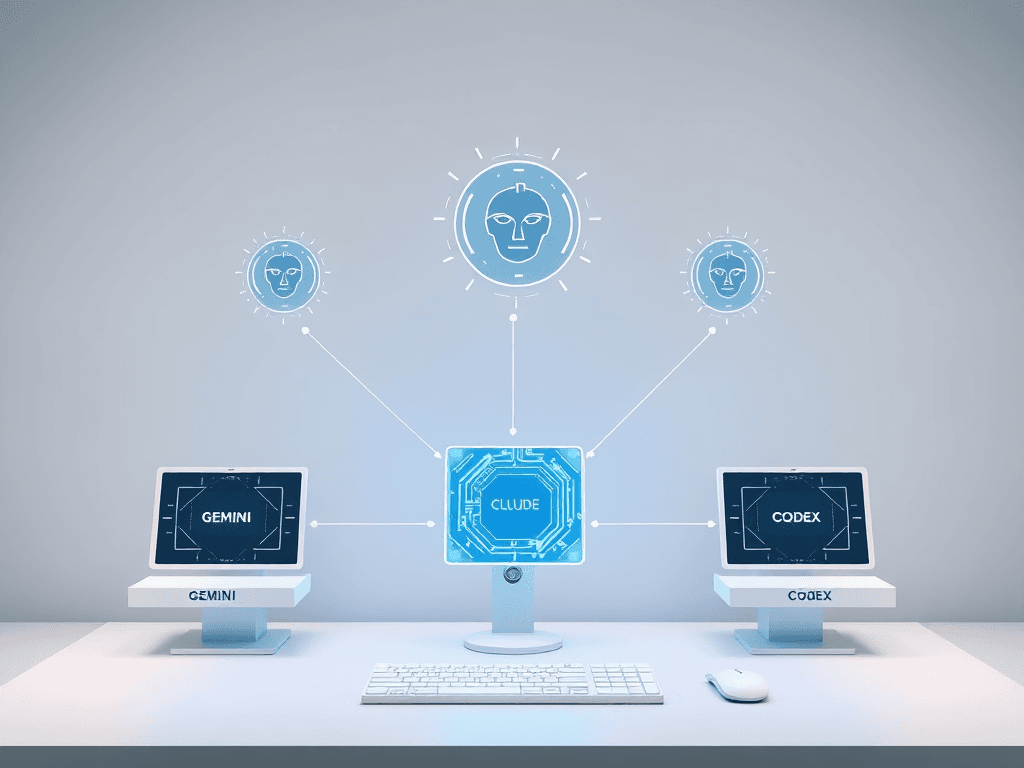
In the rapidly evolving landscape of AI-powered development and automation, developers and power users often juggle multiple command-line AI tools like Gemini CLI, Claude Code, and Codex. While powerful, these tools present common challenges: isolated sessions, lack of persistent conversation history, cumbersome file management, and a steep learning curve for non-terminal users. AionUi emerges as a solution to these pain points, offering a unified, graphical desktop interface that brings cohesion and enhanced functionality to your existing AI toolkit.
在快速发展的AI驱动开发和自动化领域,开发者和高级用户经常需要同时使用多个命令行AI工具,如Gemini CLI、Claude Code和Codex。这些工具虽然强大,但也存在一些共同的挑战:孤立的会话、缺乏持久的对话历史、繁琐的文件管理以及对非终端用户的高学习门槛。AionUi应运而生,它提供了一个统一的图形化桌面界面,旨在为您现有的AI工具集带来协调性和增强的功能。
✨ What Can AionUi Do?
AionUi transforms your disparate command-line AI agents into a cohesive, visual workspace. It acts as a central hub, auto-detecting locally installed tools and providing a rich, user-friendly interface for interaction. Think of it as a "Cowork" platform not just for one model, but for all your AI assistants.
AionUi将您分散的命令行AI智能体转变为一个协调、可视化的工作空间。它充当一个中心枢纽,自动检测本地安装的工具,并提供一个功能丰富、用户友好的交互界面。您可以将其视为一个“协同工作”平台,不仅服务于单一模型,而是服务于您所有的AI助手。
🤖 Multi-Agent Mode & Unified Interface
AionUi comes with Gemini CLI built-in, ready for immediate use. If you have other CLI tools like Claude Code or Codex installed, it will automatically detect them. This creates a single graphical interface to manage all your AI interactions, eliminating the need to switch between different terminal windows and commands.
AionUi内置了Gemini CLI,开箱即用。如果您安装了其他CLI工具,如Claude Code或Codex,它将自动检测它们。这创建了一个统一的图形界面来管理您所有的AI交互,无需在不同的终端窗口和命令之间切换。
- Auto-Detection & Unified Interface: Automatically recognizes local CLI tools and provides a consistent graphical experience. Say goodbye to memorizing complex command-line syntax.
- 自动检测与统一界面:自动识别本地CLI工具并提供一致的图形体验。告别记忆复杂的命令行语法。
- Local Storage & Multi-Session: All conversations are saved locally in a SQLite database. You can run multiple parallel chat sessions, each maintaining its own independent context and memory.
- 本地存储与多会话:所有对话都本地保存在SQLite数据库中。您可以运行多个并行聊天会话,每个会话都保持自己独立的上下文和记忆。
📁 Smart File Management (AI Cowork)
Move beyond simple chat. AionUi integrates AI directly into your file system workflow for intelligent organization and batch processing.
超越简单的聊天。AionUi将AI直接集成到您的文件系统工作流中,实现智能组织和批量处理。
- Auto Organize: Let AI intelligently identify content and auto-classify files, keeping your folders tidy.
- 自动整理:让AI智能识别内容并自动分类文件,保持文件夹整洁。
- Efficient Batch Operations: Perform one-click batch renaming, file merging, and other repetitive tasks, freeing you from manual drudgery.
- 高效批量操作:执行一键批量重命名、文件合并等重复性任务,将您从繁琐的手动操作中解放出来。
📄 Real-Time Preview Panel
AionUi features a powerful preview panel that supports over 9 file formats (PDF, Word, Excel, PPT, code, Markdown, images, HTML, Diff, etc.). This allows you to instantly visualize the results of AI-generated content without switching to another application.
AionUi配备了一个强大的预览面板,支持超过9种文件格式(PDF、Word、Excel、PPT、代码、Markdown、图像、HTML、Diff等)。这使您能够即时可视化AI生成内容的结果,而无需切换到另一个应用程序。
- Instant Result Viewing: See the effects of AI-generated files immediately after creation.
- 即时结果查看:在AI生成文件后立即查看效果。
- Real-Time Tracking & Editing: The editor and preview sync intelligently. You can edit Markdown, code, or HTML in real-time with a WYSIWYG (What You See Is What You Get) experience.
- 实时跟踪与编辑:编辑器与预览智能同步。您可以实时编辑Markdown、代码或HTML,享受所见即所得的体验。
🤔 Why Choose AionUi Over Alternatives?
While tools like the official Claude Cowork enhance the experience for a single model, AionUi is designed as a universal platform. It addresses the core limitations faced by users of multiple command-line AI tools.
虽然像官方Claude Cowork这样的工具增强了单一模型的体验,但AionUi被设计为一个通用平台。它解决了使用多个命令行AI工具的用户面临的核心限制。
The table below highlights key differentiators between Claude Cowork and AionUi:
下表突出了Claude Cowork和AionUi之间的主要区别:
| Dimension | Claude Cowork | AionUi |
|---|---|---|
| Operating System | macOS Only | 🍏 macOS / 🪟 Windows / 🐧 Linux |
| 模型支持 | 仅限Claude | 🤖 Gemini, Claude, DeepSeek, OpenAI, Ollama等 |
| 交互方式 | GUI | 🖥️ 完整GUI + WebUI远程访问 |
| 成本 | 订阅制 ($100/月) | 🆓 完全免费开源 |
| 深度AI办公场景 | 有限 | 文件管理、数据处理、文档生成、即时预览 |
Key Advantages of AionUi:
AionUi的核心优势:
- 🎯 Unified Platform: Manage all your CLI AI tools from one interface. No more context switching.
- 🎯 统一平台:从一个界面管理您所有的CLI AI工具。无需再切换上下文。
- 🚀 Multi-Tool & Multi-Model Support: Supports Gemini, Claude, OpenAI, Qwen, and local models (via Ollama). Run multiple AI agents simultaneously.
- 🚀 多工具与多模型支持:支持Gemini、Claude、OpenAI、Qwen以及本地模型(通过Ollama)。可同时运行多个AI智能体。
- 🌐 Cross-Platform & WebUI: Native applications for macOS, Windows, and Linux. Plus, a WebUI mode for remote access from any device on your network.
- 🌐 跨平台与WebUI:为macOS、Windows和Linux提供原生应用。此外,还提供WebUI模式,可从网络上的任何设备进行远程访问。
- 💾 Local Data Security: All conversations and files are stored locally. Your data never leaves your device, ensuring privacy and security.
- 💾 本地数据安全:所有对话和文件均本地存储。您的数据永远不会离开您的设备,确保隐私和安全。
✨ Core Features Deep Dive
💬 Multi-Session Chat with Independent Context
Open multiple conversation threads for different projects or topics. Each session retains its own memory and context, preventing task interference and boosting productivity.
为不同的项目或主题开启多个对话线程。每个会话保留自己的记忆和上下文,防止任务干扰,提高工作效率。
🤖 Extensive Multi-Model Support
Connect to a wide array of AI services via API keys or local deployments. The platform supports mainstream cloud models and seamlessly integrates with local inference servers like Ollama.
通过API密钥或本地部署连接到各种AI服务。该平台支持主流云模型,并无缝集成Ollama等本地推理服务器。
🌐 WebUI for Remote Access
Start AionUi in WebUI mode to access and control your local AI tools from a browser on any device within your network (e.g., tablet, phone, another computer). Ideal for server deployments or flexible workflows.
以WebUI模式启动AionUi,即可通过网络内任何设备(如平板电脑、手机、另一台电脑)上的浏览器访问和控制您的本地AI工具。非常适合服务器部署或灵活的工作流程。
🎨 AI-Powered Image Generation & Editing
Go beyond text. Utilize integrated capabilities for intelligent image generation and editing, powered by models like Gemini.
超越文本。利用集成功能进行智能图像生成和编辑,由Gemini等模型驱动。
🎨 Personalized Interface Customization
For advanced users, AionUi offers the ability to customize the interface's look and feel by injecting custom CSS code, allowing you to tailor the environment to your preferences.
对于高级用户,AionUi提供了通过注入自定义CSS代码来定制界面外观的功能,允许您根据个人偏好调整环境。
🚀 Quick Start Guide
💻 System Requirements
- macOS: 10.15 or higher
- Windows: Windows 10 or higher
- Linux: Ubuntu 18.04+, Debian 10+, Fedora 32+
- Memory: 4GB RAM recommended
- Storage: At least 500MB free space
📥 Installation
The simplest way to get started is to download the native application for your operating system from the official website. For macOS users with Homebrew, installation is as simple as:
最简单的入门方法是从官方网站下载适用于您操作系统的原生应用程序。对于使用Homebrew的macOS用户,安装非常简单:
brew install aionui
After installation, launch AionUi, configure your AI service (e.g., log in with your Google account for Gemini or add an API key), and you're ready to experience the unified interface.
安装后,启动AionUi,配置您的AI服务(例如,使用您的Google账户登录Gemini或添加API密钥),即可体验统一界面。
For detailed configuration steps, including multi-agent setup and WebUI configuration, please refer to the official Complete Installation Guide and LLM Configuration Guide.
有关详细配置步骤,包括多智能体设置和WebUI配置,请参阅官方的完整安装指南和*LLM配置指南。*
🤝 Community & Contribution
AionUi is a free and open-source project under the Apache-2.0 license. User feedback and contributions are highly valued.
AionUi是一个基于Apache-2.0许可证的免费开源项目。我们高度重视用户的反馈和贡献。
- 💬 Join the Community: Connect with other users and developers on GitHub Discussions, Discord (English), or WeChat (Chinese).
- 💬 加入社区:在GitHub Discussions、Discord(英文)或微信(中文)上与其他用户和开发者联系。
- 🤝 Contribute: We welcome bug reports, feature requests, and code contributions. Please see the
CONTRIBUTING.mdguide on GitHub for details.- 🤝 贡献:我们欢迎错误报告、功能请求和代码贡献。详情请参阅GitHub上的
CONTRIBUTING.md指南。
- 🤝 贡献:我们欢迎错误报告、功能请求和代码贡献。详情请参阅GitHub上的
AionUi represents a significant step towards democratizing and streamlining the use of multiple AI tools. By providing a unified, secure, and feature-rich graphical interface, it empowers users to focus on creativity and problem-solving, rather than on managing the complexities of their AI infrastructure.
AionUi代表了在民主化和简化多种AI工具使用方面迈出的重要一步。通过提供一个统一、安全且功能丰富的图形界面,它使用户能够专注于创造力和解决问题,而不是管理AI基础设施的复杂性。
版权与免责声明:本文仅用于信息分享与交流,不构成任何形式的法律、投资、医疗或其他专业建议,也不构成对任何结果的承诺或保证。
文中提及的商标、品牌、Logo、产品名称及相关图片/素材,其权利归各自合法权利人所有。本站内容可能基于公开资料整理,亦可能使用 AI 辅助生成或润色;我们尽力确保准确与合规,但不保证完整性、时效性与适用性,请读者自行甄别并以官方信息为准。
若本文内容或素材涉嫌侵权、隐私不当或存在错误,请相关权利人/当事人联系本站,我们将及时核实并采取删除、修正或下架等处理措施。 也请勿在评论或联系信息中提交身份证号、手机号、住址等个人敏感信息。