手机不在身边?技术专家教你电脑登录微信的完整解决方案
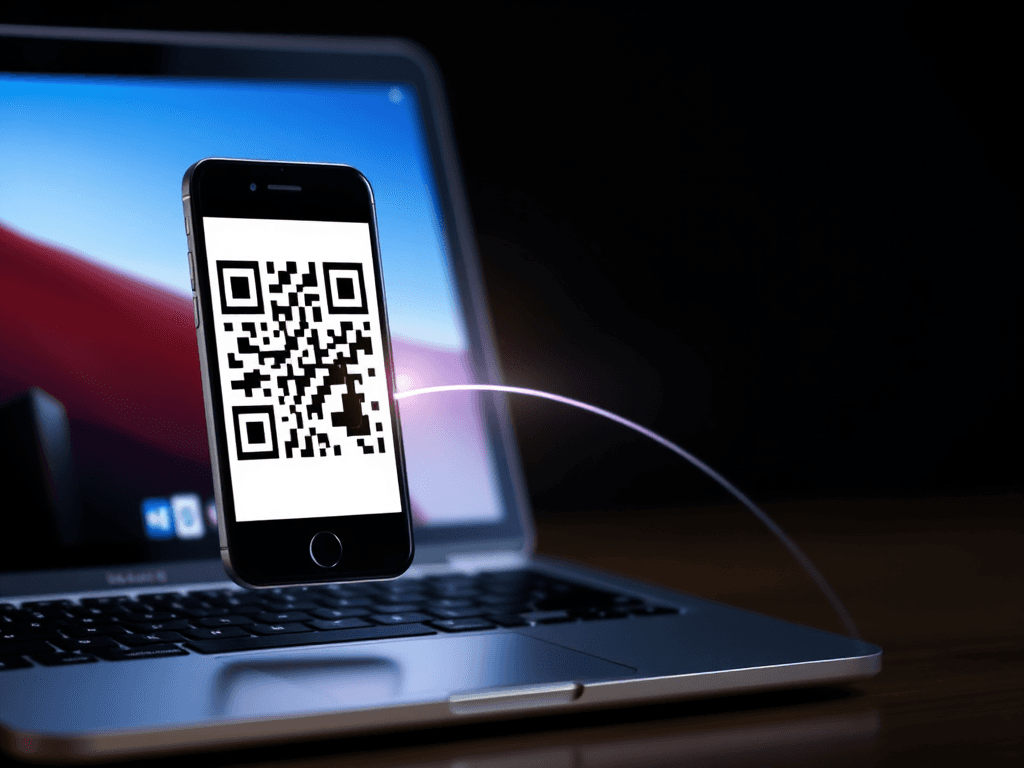
This guide provides step-by-step solutions for logging into WeChat on a computer when your primary phone is unavailable, broken, or lost. It covers alternative verification methods, troubleshooting steps, and security considerations for Chinese technical professionals. (本指南为技术专业人士提供当主要手机不可用、损坏或丢失时,在电脑上登录微信的分步解决方案。涵盖替代验证方法、故障排除步骤和安全注意事项。)
Introduction
WeChat's security model is built around the principle of device-based authentication, primarily using your mobile phone as the central hub. This design, while excellent for security, presents a significant challenge when your primary phone is lost, broken, or simply not at hand. A common point of confusion is the belief that you can log into WeChat's desktop or web client using just a username and password. This guide will clarify the authentication mechanisms and provide structured, actionable methods to regain access to your WeChat account from a computer when faced with a phone-related issue.
微信的安全模型核心是设备认证,主要以您的手机作为验证中心。这一设计虽然极大地提升了安全性,但当您的主手机丢失、损坏或不在身边时,却带来了不小的挑战。一个常见的误解是认为可以仅凭用户名和密码登录微信的桌面版或网页版。本指南将阐明微信的认证机制,并提供结构化、可操作的解决方案,帮助您在手机出现问题时从电脑端重新登录微信账户。
Core Authentication Concept: The Phone is Key
The fundamental rule for WeChat's desktop (PC/Mac) and web client login is this: You must have an authenticated WeChat session on a mobile device to initiate a computer login. This is typically done by scanning a QR code displayed on the computer screen with your phone's WeChat app. The phone acts as the key that unlocks access on other devices. Therefore, the primary goal when your phone is unavailable shifts from "logging into the computer" to "first regaining access to WeChat on any mobile device."
微信桌面版(PC/Mac)和网页版登录的基本原则是:您必须在一台移动设备上拥有一个已认证的微信会话,才能发起电脑登录。 这通常需要通过手机微信应用扫描电脑屏幕上显示的二维码来完成。手机相当于一把钥匙,用于解锁在其他设备上的访问权限。因此,当您的手机不可用时,首要目标从“登录电脑”转变为 “首先在任意一台移动设备上重新获得微信访问权”。
Method 1: Using a Secondary or New Phone (Recommended)
This is the most straightforward and secure method. If your primary phone is broken or lost, but you have access to another smartphone (e.g., an old phone, a family member's phone), you can transfer your WeChat session to it.
这是最直接、最安全的方法。如果您的主手机损坏或丢失,但可以使用另一台智能手机(例如旧手机、家人的手机),您可以将微信会话转移到该设备上。
Steps to Log into WeChat on a New Phone:
- Install WeChat: Download and install the WeChat app on the new phone.
安装微信: 在新手机上下载并安装微信应用。
- Initiate Login: Open WeChat and go to the login screen. Tap "Log In" and then "Unable to log in?" or a similar troubleshooting link.
发起登录: 打开微信,进入登录界面。点击“登录”,然后点击**“登录遇到问题?”**或类似的故障排除链接。
- Select "Phone Not Available": Choose the option that states your phone is not with you (e.g., "手机不在身边").
选择“手机不在身边”: 选择表明您手机不在身边的选项(例如,“手机不在身边”)。
- Use Bound QQ or Email for Verification: Follow the on-screen instructions. You will likely be prompted to verify your identity using a bound QQ account and password or a bound email address. This is why linking your WeChat to a QQ account or email is crucial for account recovery.
使用绑定的QQ或邮箱验证: 按照屏幕提示操作。系统可能会要求您使用绑定的QQ账号和密码或绑定的邮箱地址来验证身份。这就是为什么将微信绑定QQ或邮箱对账户恢复至关重要。
- Complete Security Verification: You may need to receive a verification code via SMS (if your SIM card is in the new phone) or complete another form of identity confirmation.
完成安全验证: 您可能需要通过短信接收验证码(如果您的SIM卡已在新手机中)或完成其他形式的身份确认。
- Finalize Login: After successful verification, you can set a new password if needed and complete the login on the new mobile device.
完成登录: 验证成功后,您可以在需要时设置新密码,并在新的移动设备上完成登录。
Once WeChat is successfully running on the new phone, you can simply open WeChat on your computer and scan the QR code with the new phone to log in.
一旦微信在新手机上成功运行,您只需在电脑上打开微信,并用新手机扫描二维码即可登录。
Method 2: Account Recovery via Friend Assistance
If you do not have a bound QQ/Email or cannot access them, WeChat offers a friend-assisted recovery process. This method requires advance preparation, as you need to have previously set up trusted friends.
如果您没有绑定QQ/邮箱或无法访问它们,微信提供了好友辅助找回流程。此方法需要提前准备,因为您需要事先设置可信的好友。
Process for Friend Verification:
- On the login trouble page, select the option for account recovery or password reset.
在登录问题页面,选择账户找回或密码重置选项。
- Choose the "Friend Verification" ("好友辅助验证当无法通过常规方式登录时,微信提供的安全验证方法,需指定好友发送验证码以确认账号所有权。") path.
选择“好友辅助验证当无法通过常规方式登录时,微信提供的安全验证方法,需指定好友发送验证码以确认账号所有权。”路径。
- Enter the mobile phone numbers of 3-5 pre-designated WeChat friends.
输入3-5位预先指定的微信好友的手机号码。
- Your friends will receive a verification request within their WeChat app. They must provide the correct verification code to you within a time limit.
您的好友将在其微信应用中收到验证请求。他们必须在时限内向您提供正确的验证码。
- Once verified, you can reset your password and log into WeChat on a new mobile device. Subsequently, computer login becomes possible.
一旦验证通过,您就可以重置密码并在新的移动设备上登录微信。随后,电脑登录即可实现。
Method 3: Using Your Original SIM Card in a Different Phone
If your phone is broken but the SIM card is intact, this is often the simplest solution.
如果您的手机坏了但SIM卡完好无损,这通常是最简单的解决方案。
Steps for SIM Card-Based Login:
- Insert SIM Card: Place your original, WeChat-registered SIM card into another working phone.
插入SIM卡: 将您原始的、注册微信的SIM卡插入另一台可用的手机。
- Password Login: Open WeChat on that phone. You can try logging in directly with your WeChat password.
密码登录: 在该手机上打开微信。您可以尝试直接使用微信密码登录。
- SMS Verification (Fallback): If you don't remember the password, click "Forgot Password" ("忘记密码") and choose to verify via SMS code sent to that SIM card number.
短信验证(备用方案): 如果您不记得密码,请点击“忘记密码”,并选择通过发送到该SIM卡号码的短信验证码进行验证。
- Regain Access: After successful verification on the mobile device, computer login via QR code scanning is restored.
恢复访问: 在移动设备上成功验证后,即可通过扫描二维码恢复电脑登录。
Scenarios and Limitations
Scenario: Phone is Broken/Offline, No Secondary Phone Available
Analysis: In this case, logging into WeChat Web or Desktop directly is impossible. The QR code authentication is a mandatory, non-bypassable step that requires an active WeChat session on a mobile device. The solutions above all focus on first solving the mobile access problem.
场景分析:手机损坏/离线,且无备用手机可用
分析: 在这种情况下,直接登录微信网页版腾讯微信的桌面浏览器版本,提供核心即时通讯功能,需配合手机微信扫码登录使用。或桌面版是不可能的。 二维码认证是强制性的、不可绕过的步骤,要求移动设备上有一个活跃的微信会话。上述所有解决方案都侧重于首先解决移动端访问问题。
Scenario: Phone Lost, No Bound QQ/Email, No Friend Setup
Analysis: This represents the most difficult recovery scenario. If your account lacks any bound recovery methods (phone, QQ, email) and you haven't set up friend assistance, account recovery through official channels becomes extremely challenging. Your only recourse is to contact WeChat Support directly, but success is not guaranteed without sufficient proof of ownership.
场景分析:手机丢失,未绑定QQ/邮箱,未设置好友辅助
分析: 这是最困难的恢复场景。如果您的账户缺少任何绑定的恢复方式(手机、QQ、邮箱)并且您没有设置好友辅助,通过官方渠道找回账户将变得极其困难。您唯一的办法是直接联系微信客服,但如果没有足够的所有权证明,不一定能成功。
Key Takeaways and Best Practices
- Proactive Preparation is Crucial: Always bind your WeChat account to a QQ account and/or an email address. Consider setting up the "Friend Assistance" feature.
主动准备至关重要: 务必将您的微信账户绑定到一个QQ账号和/或一个邮箱地址。考虑设置“好友辅助”功能。
- The Computer Client is an Extension, Not a Standalone: WeChat for PC/Mac is designed as a companion client. It cannot function independently of your mobile session.
电脑客户端是扩展,而非独立应用: 微信PC/Mac版被设计为伴侣客户端。它不能独立于您的移动端会话运行。
- The SIM Card is a Powerful Recovery Tool: Your registered mobile number is a primary key to your account. Keeping that SIM card safe provides a major recovery path.
SIM卡是强大的恢复工具: 您注册的手机号码是您账户的主密钥。保管好该SIM卡提供了一条重要的恢复途径。
- "Borrowing" a Phone for Verification is a Valid Tactic: As mentioned in the input, using a trusted person's phone to create a WeChat "分身" (dual app instance) or simply to perform the initial mobile login and QR scan for your computer is a practical, temporary workaround.
“借用”手机进行验证是有效策略: 如输入内容所述,使用可信赖的人的手机创建一个微信“分身”,或仅仅是为了执行初始的移动端登录并为您的电脑扫描二维码,是一种实用、临时的变通方法。
In conclusion, while a non-functional phone creates a hurdle for accessing WeChat on a computer, it is not an insurmountable barrier. By understanding that the solution always begins with re-establishing access on a mobile device—whether through a bound account, friend help, or your original SIM card—you can systematically work towards restoring your full, multi-device WeChat access.
总之,虽然手机故障给在电脑上访问微信造成了障碍,但这并非不可逾越。只要理解解决方案总是始于在某一台移动设备上重新建立访问——无论是通过绑定账号、好友帮助还是原始SIM卡——您就可以系统地努力恢复完整的、多设备的微信访问权限。
版权与免责声明:本文仅用于信息分享与交流,不构成任何形式的法律、投资、医疗或其他专业建议,也不构成对任何结果的承诺或保证。
文中提及的商标、品牌、Logo、产品名称及相关图片/素材,其权利归各自合法权利人所有。本站内容可能基于公开资料整理,亦可能使用 AI 辅助生成或润色;我们尽力确保准确与合规,但不保证完整性、时效性与适用性,请读者自行甄别并以官方信息为准。
若本文内容或素材涉嫌侵权、隐私不当或存在错误,请相关权利人/当事人联系本站,我们将及时核实并采取删除、修正或下架等处理措施。 也请勿在评论或联系信息中提交身份证号、手机号、住址等个人敏感信息。