电脑屏幕清洁完全指南:专业方法保护显示屏并延长使用寿命
Introduction
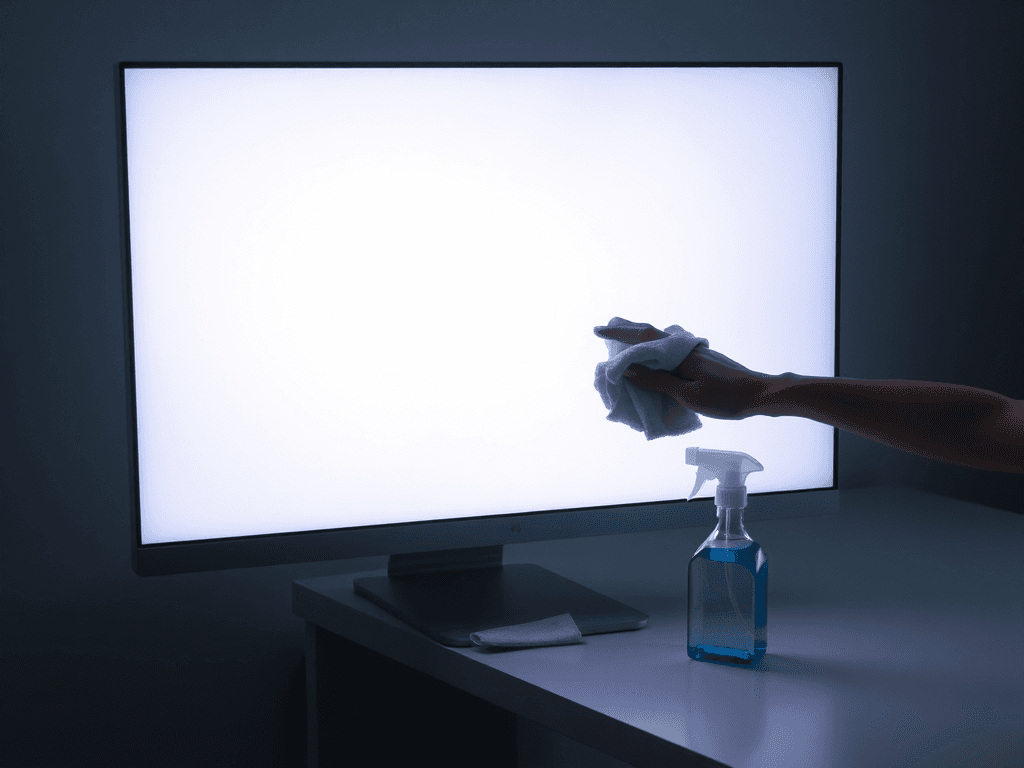
Over time, computer screens inevitably accumulate dust, fingerprints, and oily smudges. This buildup not only degrades visual clarity but can also lead to permanent damage. Abrasive particles can scratch delicate screen coatings when rubbed, and improper cleaning methods—like using paper towels or alcohol-based sprays—can cause irreversible harm. This guide provides a professional, step-by-step methodology for safely cleaning various screen types (LED, LCD, OLED), empowering users to restore a pristine view without risking damage to their valuable displays.
电脑屏幕在长期使用过程中,不可避免地会吸附灰尘、指纹和油渍。这些污垢不仅影响视觉清晰度,还可能导致永久性损伤。摩擦时,微小的颗粒会划伤精密的屏幕镀膜,而错误的清洁方法——例如使用纸巾或含酒精的喷雾——则可能造成不可逆的损害。本指南提供了一套专业的、循序渐进的清洁方法,适用于不同屏幕类型(LED、LCD、OLED),帮助用户在恢复屏幕洁净的同时,有效保护其宝贵的显示设备。
Essential Tools and Materials
Using the correct tools is half the battle in safe screen cleaning. Here is the recommended toolkit:
- Dedicated Screen Cleaning Kit: Contains a microfiber cloth and neutral-pH cleaning solution. This is the gold standard.
- Distilled Water: An excellent alternative if a dedicated cleaner is unavailable, as it leaves no mineral deposits.
- Air Blower (Duster): A bulb or compressed air blower for removing loose dust particles before wiping.
- Tweezers (Optional): Useful for carefully removing stubborn debris stuck in bezels.
- Anti-Static Dust Removal Sticker (For OLED screens): Gently lifts away microscopic dust after cleaning.
使用正确的工具是安全清洁成功的一半。以下是推荐的工具包:
- 专用屏幕清洁套装: 包含超细纤维布和中性pH值清洁液。这是最佳选择。
- 蒸馏水: 如果没有专用清洁剂,这是一个极佳的替代品,因为它不会留下水渍。
- 气吹/吹尘球: 用于在擦拭前吹走松散的灰尘颗粒。
- 镊子(可选): 可用于小心移除卡在边框缝隙中的顽固碎屑。
- 静电除尘贴(适用于OLED屏幕): 清洁后轻轻粘除残留的微尘。
Step-by-Step Cleaning Procedure
Step 1: Power Down and Disconnect
Always turn off your device and unplug it from the power source. This eliminates the risk of electrical shock, prevents static electricity from attracting more dust during cleaning, and stops any accidental liquid ingress into sensitive components.
步骤1:断电并断开连接
务必关闭设备并拔掉电源。这可以消除触电风险,防止清洁过程中静电吸附更多灰尘,并避免液体意外渗入敏感部件。
Step 2: Remove Loose Dust
Use an air blower to gently blow dust from the center of the screen outward toward the edges. This critical step removes abrasive particles that could scratch the screen if you were to wipe them directly with a cloth.
步骤2:清除浮尘
使用气吹,从屏幕中心开始,轻轻地将灰尘吹向边缘。这个关键步骤能清除那些如果直接用布擦拭可能会划伤屏幕的研磨性颗粒。
Step 3: Prepare Your Cleaning Cloth
Lightly spray the dedicated screen cleaner onto your microfiber cloth—never directly onto the screen. If using distilled water, dampen the cloth and wring it out thoroughly until it is moist but not dripping. A soaking wet cloth can allow liquid to seep into the display edges.
步骤3:准备清洁布
将专用屏幕清洁剂轻轻喷在超细纤维布上——切勿直接喷在屏幕上。如果使用蒸馏水,将布浸湿并彻底拧干,使其湿润但不滴水。过湿的布可能导致液体渗入显示屏边缘。
Step 4: Wipe the Screen Gently
Starting from the top-left corner, wipe the screen slowly using straight, overlapping strokes in a "Z" or "S" pattern. Avoid circular motions, which can leave streaks. After cleaning approximately one-quarter of the screen, flip the cloth to a clean section to avoid reapplying dirt.
步骤4:轻柔擦拭屏幕
从屏幕左上角开始,以“Z”字形或“S”形路径,用平直、重叠的笔触缓慢擦拭。避免打圈擦拭,以免留下痕迹。清洁完大约四分之一区域后,将布翻到干净的一面继续使用,避免将污垢重新涂抹到屏幕上。
Handling Special Cases and Stubborn Stains
Step 5: Tackling Fingerprints and Oily Residue
For persistent fingerprints or grease, dilute your neutral cleaner with distilled water in a 1:3 ratio. Gently press the dampened cloth onto the affected area for 5-10 seconds to allow the solution to loosen the grime, then wipe away. Do not scrub or apply excessive pressure.
步骤5:处理指纹和油渍
对于顽固的指纹或油渍,可将中性清洁剂与蒸馏水按1:3的比例稀释。将湿润的布轻轻按压在污渍处5-10秒,让清洁液溶解污垢,然后擦拭干净。切勿用力擦洗或施加过大压力。
Step 6: Special Care for OLED Screens
OLED displays have a sensitive organic layer. After cleaning, you can gently use an anti-static dust removal sticker to pick up any remaining microscopic dust. Strictly avoid any cleaning solutions containing alcohol or ammonia, as they can degrade the organic materials.
步骤6:OLED屏幕的特殊护理
OLED显示屏具有敏感的有机发光层。清洁后,可以轻轻使用静电除尘贴来粘除残留的微尘。严格避免使用任何含酒精或氨的清洁剂,因为它们会降解有机材料。
Step 7: Cleaning Laptop Bezels and Gaps
To clean dust from the tight gaps around a laptop screen, wrap a microfiber cloth around the tip of a toothpick or a plastic spudger. Gently run it along the bezel crevices. Avoid using metal tools which can scratch the finish.
步骤7:清洁笔记本边框和缝隙
要清洁笔记本屏幕周围狭窄缝隙中的灰尘,可以用超细纤维布包裹牙签或塑料撬棒的尖端。沿着边框缝隙轻轻滑动清理。避免使用金属工具,以免划伤表面。
Critical "Don'ts" and Best Practices
- Never Use These: Paper towels, facial tissues, or wet wipes. Their fibers are abrasive. Isopropyl alcohol or glass cleaners are forbidden for most screens as they can strip anti-glare coatings (LCD) or damage organic layers (OLED).
- Avoid Cleaning a Hot Screen: If the screen is warm to the touch (e.g., after use or in direct sunlight), let it cool down to room temperature before cleaning. Thermal expansion can make coatings more vulnerable.
- Apply Minimal Pressure: Pressing too hard on an LCD can cause backlight clouding ("mura effect"), and on an OLED, it can potentially cause temporary image retention. The cloth should just kiss the surface.
- Choose Cleaners Wisely: Opt for solutions labeled as "screen safe" or "neutral pH" (between 6.5-7.5). Check ingredients and avoid ammonia, formaldehyde, or strong solvents.
- 切勿使用这些物品: 纸巾、面巾纸或湿巾。它们的纤维具有研磨性。异丙醇或玻璃清洁剂对大多数屏幕是禁用的,因为它们会破坏防眩光涂层(LCD)或损伤有机层(OLED)。
- 避免清洁发热的屏幕: 如果屏幕摸起来是温的(例如使用后或在阳光直射下),请先让其冷却至室温再清洁。热胀冷缩会使涂层更脆弱。
- 施加最小压力: 用力按压LCD屏幕可能导致背光不均(“云斑效应”),按压OLED屏幕则可能导致暂时的图像残留。布只需轻轻接触表面即可。
- 明智选择清洁剂: 选择标有“屏幕安全”或“中性pH值”(介于6.5-7.5之间)的溶液。检查成分,避免含有氨、甲醛或强溶剂的产品。
Conclusion
Proper screen maintenance is a simple yet effective way to preserve your display's longevity and visual quality. By following these professional guidelines—using the right tools, employing gentle techniques, and understanding the needs of your specific screen technology—you can keep your view crystal clear without the risk of costly damage. Regular, careful cleaning is a small investment that pays significant dividends in your daily computing experience.
结论
正确的屏幕维护是保护显示器寿命和视觉质量的一种简单而有效的方法。通过遵循这些专业指南——使用正确的工具、采用温和的技术并了解您特定屏幕技术的需求——您可以在保持视野清晰的同时,避免造成昂贵的损坏风险。定期、细心的清洁是一项小小的投入,却能为您日常的计算体验带来显著的回报。
版权与免责声明:本文仅用于信息分享与交流,不构成任何形式的法律、投资、医疗或其他专业建议,也不构成对任何结果的承诺或保证。
文中提及的商标、品牌、Logo、产品名称及相关图片/素材,其权利归各自合法权利人所有。本站内容可能基于公开资料整理,亦可能使用 AI 辅助生成或润色;我们尽力确保准确与合规,但不保证完整性、时效性与适用性,请读者自行甄别并以官方信息为准。
若本文内容或素材涉嫌侵权、隐私不当或存在错误,请相关权利人/当事人联系本站,我们将及时核实并采取删除、修正或下架等处理措施。 也请勿在评论或联系信息中提交身份证号、手机号、住址等个人敏感信息。