联想小新Pad Pro 12.7"第二代深度评测:万元内最大AG屏的学习神器
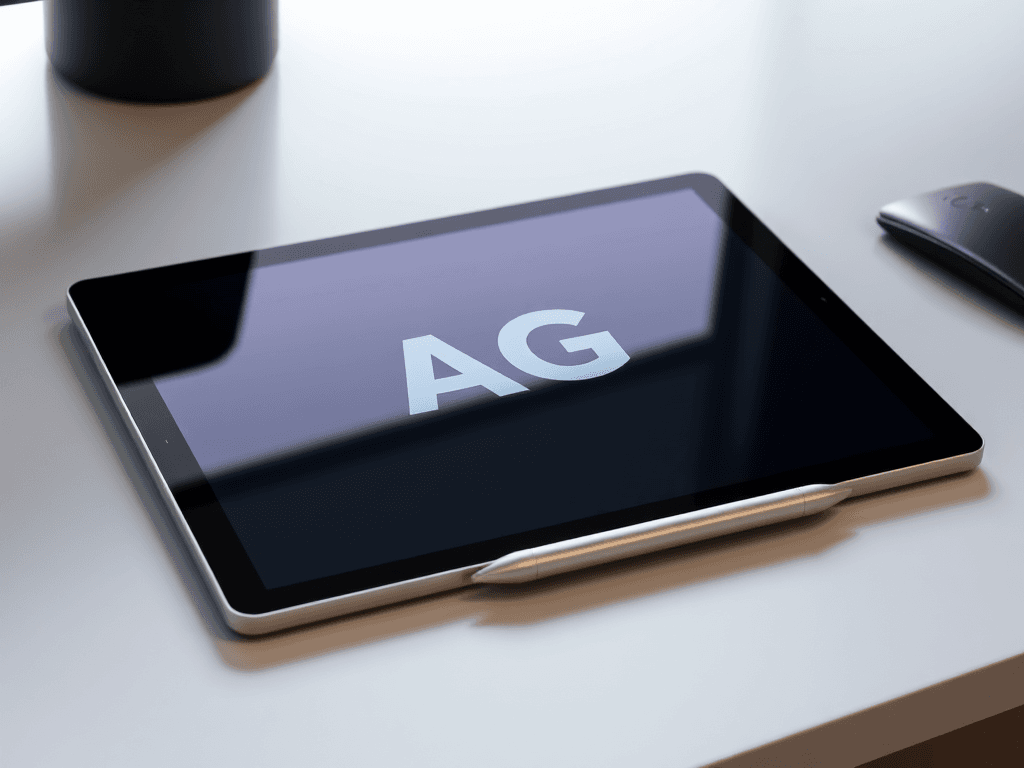
This comprehensive review analyzes the Lenovo Xiaoxin Pad Pro 12.7" Second Generation, highlighting its key features including the largest AG screen under ¥10,000, MediaTek Dimensity 8300 chipset, 10200mAh battery with 45W fast charging, and enhanced ZUI 16 system with Super Connect functionality. The device targets students and professionals seeking a high-performance, eye-friendly tablet with excellent value.
中文摘要翻译:本文对联想小新Pad Pro 12.7"第二代进行全面评测,重点分析其万元内最大AG柔光屏、天玑8300芯片、10200mAh电池配45W快充以及搭载超级互联功能的ZUI 16系统。该设备面向学生和专业人士,是一款兼具高性能、护眼特性和高性价比的平板电脑。
前言
As a seasoned reviewer who has extensively covered the tablet market, I have a deep understanding of this product category. I have personally tested numerous models, including the first-generation Lenovo Xiaoxin Pad Pro 12.6" and the 2023 Xiaoxin Pad Pro 12.7". Recently, I received the latest addition to the Xiaoxin lineup: the second-generation Xiaoxin Pad Pro 12.7". This review will provide a comprehensive analysis of this new device, comparing it with key competitors like the Huawei MatePad Air 11.5" and the Honor Pad 9 Pro, which also feature anti-glare (AG) displays.
作为一名长期关注并评测平板电脑的资深用户,我对这个品类有着深刻的理解。我个人测试过众多型号,包括初代联想小新 Pad Pro 12.6" 和 2023 款小新 Pad Pro 12.7"。最近,我收到了小新产品线的最新成员:第二代小新 Pad Pro 12.7"。本篇评测将全面解析这款新设备,并将其与同样搭载防眩光(AG)屏幕的主要竞品——华为 MatePad Air 11.5" 和荣耀平板 9 Pro——进行对比。
开箱与外观设计
整体设计与材质
The Xiaoxin Pad Pro 12.7" (2nd Gen) continues the family design language, which will be familiar to those acquainted with previous Xiaoxin tablets. The body is constructed entirely from metal, offering a simple and elegant aesthetic. The camera module on the back extends into a striped-pattern section, which also houses the magnetic attachment point for the stylus. Notably, the Lenovo logo has been repositioned from the left side of the upper section to the center of the solid-color lower portion.
第二代小新 Pad Pro 12.7" 延续了家族式设计语言,熟悉小新平板的用户对此不会陌生。机身采用全金属材质,设计简洁大方。背部的摄像头模组延伸出一块带有条纹样式的区域,这里同时也是手写笔的磁吸位。值得注意的是,Lenovo 的 Logo 从上部分区的左侧移到了下部纯色分区的中心。
与前代的对比
Having the previous generation Pad Pro 12.7" on hand allows for a direct comparison. The most significant upgrade in the new model is the removal of the plastic screen frame. This greatly enhances the front-facing integrity and sense of refinement. To my knowledge, this might also be the most affordable tablet currently available without a screen frame.
手头恰好有上一代 Pad Pro 12.7",可以进行直接对比。新款最重要的升级在于去掉了屏幕的塑料支架。这极大地提升了正面的视觉一体性和精致感。据我所知,这可能是目前无屏幕支架平板中最具性价比的一款。
屏幕:核心体验的飞跃
For me, the screen is the most critical component of any tablet.
对我而言,屏幕是任何平板电脑最核心的部件。
尺寸与比例
As the name suggests, the Pad Pro 12.7" features a 12.7-inch 16:10 large screen with an area of 467.7 cm². This is substantially larger than its more expensive AG-screen competitors. Specifically, its screen area is over 10% larger than the Honor Pad 9 Pro's 12.1-inch screen and nearly 20% larger than the Huawei MatePad Air's 11.5-inch screen.
顾名思义,Pad Pro 12.7" 配备了一块 12.7 英寸 16:10 的大屏幕,面积达 467.7 平方厘米。这比其价格更高的 AG 屏竞品要大得多。具体来说,其屏幕面积比荣耀平板 9 Pro 的 12.1 英寸屏幕大超过 10%,比华为 MatePad Air 的 11.5 英寸屏幕大了近 20%。
“舒视版”AG柔光屏采用防眩光(Anti-Glare)涂层和类纸工艺的显示屏,能有效减少反光、提升视觉舒适度,特别适合长时间阅读和手写输入场景。
While the first-gen Pad Pro 12.6" used a top-tier AMOLED and the previous 12.7" model switched to LCD, this generation seems to have found its footing. It retains the 12.7" LCD but makes a breakthrough in eye comfort with the introduction of the "Comfort View Edition" – a version equipped with a paper-like textured AG (anti-glare) screen. Lenovo claims this is the largest AG screen available under ¥10,000.
初代 Pad Pro 12.6" 采用了当时顶级的 AMOLED 屏,上代 12.7" 型号则换用了 LCD 屏,而这一代似乎找到了明确方向。它保留了 12.7 英寸 LCD 屏,但在护眼方面取得了突破,推出了“舒视版”——即采用类纸工艺 AG(防眩光)屏幕的版本。联想称这是万元内最大的 AG 屏幕。
The benefits of an AG screen for a tablet are twofold. First, it provides even gentler and more eye-friendly viewing on top of the inherently less eye-straining nature of LCDs. Second, it significantly improves the writing experience when paired with a stylus, offering more paper-like friction.
AG 屏幕对于平板有两大好处。首先,它在 LCD 本身不伤眼的基础上,提供了更柔和、更护眼的观看体验。其次,它极大地提升了搭配手写笔时的书写体验,提供了更接近纸张的摩擦感。
显示素质实测
Using a SpyderX colorimeter with DisplayCAL software, I tested the screen's performance. The default "Vivid" color mode is calibrated to P3 color space with higher brightness, while the "Standard" mode switches to sRGB calibration. As an LCD panel, the brightness is consistent, and both color gamut coverage and accuracy are at a commendable level.
我使用爱色丽 SpyderX 校色仪配合 DisplayCAL 软件测试了屏幕表现。出厂默认的“鲜艳”色调模式基于 P3 色域校准,亮度更高;切换为“标准”色调模式则基于 sRGB 校准。作为一块 LCD 面板,其亮度表现稳定,色域覆盖和色准均处于不错的水准。
性能与核心配置
芯片:天玑8300首发
The second-generation Xiaoxin Pad Pro 12.7" debuts the MediaTek Dimensity 8300 chip in the tablet space. Previously, the highest-end chip used in Xiaoxin tablets was the Snapdragon 870. The Dimensity 8300, also found in devices like the Redmi K70E, offers performance comparable to the Snapdragon 8+ Gen 1, placing it in the third tier of current Android tablet performance. Compared to the previous generation's Snapdragon 870, the D8300 delivers a performance uplift exceeding 50%, making it capable of handling even demanding games with ease. It also becomes the most powerful AG-screen Android tablet currently available.
第二代小新 Pad Pro 12.7" 在平板领域首发了联发科天玑 8300 芯片。此前,小新平板所用的最高端芯片不过是骁龙 870。天玑 8300(同样用于 Redmi K70E 等设备)性能可对标骁龙 8+ Gen 1,处于当前安卓平板性能的第三梯队。与前代的骁龙 870 相比,天玑 8300 性能提升超过 50%,足以轻松驾驭大型游戏。这也使其成为目前性能最强的 AG 屏安卓平板。
跑分实测
In an AnTuTu benchmark test at room temperature, the device scored 1.21 million points. GeekBench 6 results were 1418 (single-core) and 4518 (multi-core).
在室温下的安兔兔跑分测试中,该设备取得了 121 万分的成绩。GeekBench 6 跑分为单核 1418 分,多核 4518 分。
续航、充电与细节功能
电池与充电
The tablet is equipped with a massive 10200mAh battery and supports 45W fast charging. For a large-screen tablet in this price range, 45W is a commendable specification. Importantly, Lenovo uses the standard PD (Power Delivery) protocol instead of a proprietary one, meaning fast charging is compatible with a wide range of chargers, which is convenient for users on the go.
该平板配备了一块巨大的 10200mAh 电池,并支持 45W 快充。对于该价位段的大屏平板来说,45W 是一个值得称赞的规格。重要的是,联想采用了标准的 PD(Power Delivery)协议而非私有协议,这意味着快充兼容广泛的充电器,对于经常外出的用户非常方便。
A full charging test using the included charger showed it takes approximately 33.5 minutes to reach 50% and about 1 hour and 27 minutes to reach 100% from 1%. The peak power recorded was over 41W.
使用包装内原装充电器进行的全程充电测试显示,从 1% 电量开始,约 33.5 分钟可充至 50%,约 1 小时 27 分钟可充满至 100%。记录到的峰值功率超过 41W。
指纹与摄像头
The top lock button integrates a fingerprint sensor—a notable advantage, as both key AG-screen competitors mentioned lack this feature, making unlocking less convenient. The front-facing camera maintains the optimal horizontal layout from the previous generation, facilitating easy facial recognition. The rear camera has been upgraded from 8MP to 13MP, capable of recording 4K@30fps video.
顶部的锁定按钮集成了指纹传感器——这是一个显著优势,因为前面提到的两款主要 AG 屏竞品均不支持此功能,使得解锁不那么方便。前置摄像头保持了前代最佳的横置布局,便于人脸识别。后置摄像头则从 800 万像素升级到了 1300 万像素,支持录制 4K@30fps 视频。
系统与互联:ZUI 16联想基于Android深度定制的操作系统版本,新增智慧学习功能、全局批注、与第三方笔记应用合作等教育相关特性。 与超级互联联想ZUI 16系统提供的跨设备协同功能,支持安卓手机与Windows电脑之间的屏幕镜像、应用流转、文件传输、键鼠共享等互联操作。
ZUI 16联想基于Android深度定制的操作系统版本,新增智慧学习功能、全局批注、与第三方笔记应用合作等教育相关特性。 与智慧学习功能
Objectively speaking, ZUI has historically been a relative weakness for Xiaoxin tablets. However, significant efforts have been made with ZUI 16联想基于Android深度定制的操作系统版本,新增智慧学习功能、全局批注、与第三方笔记应用合作等教育相关特性。. New "Smart Learning" features target the student demographic. This includes the "Lenovo Xiaotian" AI assistant, which offers various AI-powered functions for both daily life and academic assistance.
平心而论,ZUI 系统历来是小新平板的相对短板。然而,在 ZUI 16联想基于Android深度定制的操作系统版本,新增智慧学习功能、全局批注、与第三方笔记应用合作等教育相关特性。 上,联想做出了显著努力。针对学生群体新增了“智慧学习”功能,包括“联想小天”AI 智能助手,它提供了涵盖生活和学术辅助的各种 AI 功能。
A feature I particularly appreciate is "Global Annotation," which allows users to make annotations anywhere within the system (including on the desktop) and quickly save them as images or PDFs. Lenovo has also partnered with the note-taking app "Xiangzuo Notes" to offer a three-month free trial—a valuable benefit given that most quality note-taking apps require payment.
我个人非常喜欢的一个新功能是“全局批注系统级批注功能,允许用户在任意界面(包括桌面)进行手写标注,并支持以图像或PDF格式保存批注内容。”,它允许用户在系统内(包括桌面上)的任意位置进行批注,并快速保存为图像或 PDF 格式。联想还与“享做笔记”应用合作,提供了三个月免费试用权益——考虑到市面上大多数优质笔记应用都需要付费,这是一个对用户很有价值的福利。
超级互联联想ZUI 16系统提供的跨设备协同功能,支持安卓手机与Windows电脑之间的屏幕镜像、应用流转、文件传输、键鼠共享等互联操作。:跨生态协同
Initially, I planned to discuss "Super Connect" within the system section. However, after in-depth experience, I believe this feature deserves its own dedicated section. "Super Connect" enables interconnection with Android phones and Windows PCs to utilize various practical functions.
起初,我计划将“超级互联联想ZUI 16系统提供的跨设备协同功能,支持安卓手机与Windows电脑之间的屏幕镜像、应用流转、文件传输、键鼠共享等互联操作。”放在系统部分讨论。但在深度体验后,我认为这个功能完全配得上独立成章。“超级互联联想ZUI 16系统提供的跨设备协同功能,支持安卓手机与Windows电脑之间的屏幕镜像、应用流转、文件传输、键鼠共享等互联操作。”支持与安卓手机和 Windows 电脑互联,以实现各种实用功能。
Key Functions Include:
- Phone Clone (Android): Mirrors and allows control of your Android phone screen on the tablet.
- App Cross-Screen (Windows): Streams applications from the tablet to a Windows PC, utilizing the tablet's processing power. This is excellent for mobile-first apps like Douyin, Meituan, or Xiaohongshu.
- Keyboard & Mouse Passthrough (Windows): Allows using a Windows PC's keyboard and touchpad to control the tablet.
- Network Camera (Windows): Enables using the tablet's front or rear camera as a webcam for the PC.
- PC Lock (Windows): Use the tablet to instantly lock the connected Windows computer.
- Cross-Device File Management & Clipboard (Android+Windows): Seamlessly manage files and share clipboard content (including images) across devices.
- File Transfer Station (Android+Windows): An enhanced clipboard for transferring any file type between devices.
主要功能包括:
- 手机分身(安卓): 在平板上镜像并控制安卓手机屏幕。
- 应用跨屏(Windows): 将平板上的应用流转到 Windows 电脑上显示和操作,利用平板的算力。这对于抖音、美团、小红书等移动端应用体验尤佳。
- 键鼠穿越(Windows): 允许使用 Windows 电脑的键盘和触控板来控制平板。
- 网络摄像头(Windows): 可将平板的前置或后置摄像头用作电脑的摄像头。
- 电脑锁(Windows): 使用平板一键锁定已连接的 Windows 电脑。
- 跨端文件管理与互联剪贴板(安卓+Windows): 跨设备无缝管理文件、共享剪贴板内容(支持图片)。
- 文件中转站(安卓+Windows): 增强版的剪贴板,支持在设备间传输任意类型的文件。
The most commendable aspect is its openness. Unlike many manufacturers who restrict such features to their own ecosystem, Lenovo has generously opened "Super Connect" to virtually all Windows PCs. By installing the "Super Connect" app from the Microsoft Store, users can access these functions regardless of whether their PC is from Lenovo, Dell, HP, Xiaomi, Huawei, or Honor. Combined with the tablet's accessible pricing, this represents a strong stance on "technology democratization."
最值得称赞的是它的开放性。与许多厂商将此类功能限制在自家生态内不同,联想大度地向几乎所有 Windows 电脑开放了“超级互联联想ZUI 16系统提供的跨设备协同功能,支持安卓手机与Windows电脑之间的屏幕镜像、应用流转、文件传输、键鼠共享等互联操作。”功能。用户只需从微软商店安装“超级互联联想ZUI 16系统提供的跨设备协同功能,支持安卓手机与Windows电脑之间的屏幕镜像、应用流转、文件传输、键鼠共享等互联操作。”电脑端应用,无论其 PC 来自联想、戴尔、惠普、小米、华为还是荣耀,都能使用全部功能。结合平板亲民的定价,这充分体现了联想在“科技平权”上的态度。
(Due to length constraints, the detailed review of accessories (keyboard and stylus) and the final conclusion/summary will be covered in a continuation. The analysis above has covered the core aspects of design, display, performance, and the groundbreaking Super Connect feature, which form the essential evaluation of this device.)
(由于篇幅限制,关于配件(键盘和手写笔)的详细评测以及最终的总结/选购建议将在后续部分展开。以上分析已涵盖了该设备在设计、显示、性能以及突破性的超级互联联想ZUI 16系统提供的跨设备协同功能,支持安卓手机与Windows电脑之间的屏幕镜像、应用流转、文件传输、键鼠共享等互联操作。功能等核心方面,构成了对其的基本评价。)
版权与免责声明:本文仅用于信息分享与交流,不构成任何形式的法律、投资、医疗或其他专业建议,也不构成对任何结果的承诺或保证。
文中提及的商标、品牌、Logo、产品名称及相关图片/素材,其权利归各自合法权利人所有。本站内容可能基于公开资料整理,亦可能使用 AI 辅助生成或润色;我们尽力确保准确与合规,但不保证完整性、时效性与适用性,请读者自行甄别并以官方信息为准。
若本文内容或素材涉嫌侵权、隐私不当或存在错误,请相关权利人/当事人联系本站,我们将及时核实并采取删除、修正或下架等处理措施。 也请勿在评论或联系信息中提交身份证号、手机号、住址等个人敏感信息。