OpenViking部署配置指南:2026年AI代理上下文数据库实战
OpenViking is ByteDance's open-source AI agent context database designed to solve complex context management challenges. This guide provides a comprehensive walkthrough for deploying, configuring, and integrating OpenViking with popular AI frameworks like LangChain and AutoGen, focusing on its file system paradigm and three-layer loading strategy for optimized performance.
原文翻译: OpenViking是字节跳动开源的AI代理上下文数据库,旨在解决复杂的上下文管理难题。本指南提供了部署、配置OpenViking以及与LangChain和AutoGen等流行AI框架集成的全面教程,重点介绍其文件系统范式和三层加载策略,以实现性能优化。
项目概述
OpenViking是字节跳动开源的AI代理上下文数据库,专门解决复杂AI代理系统中的上下文管理难题。传统RAG方案在长期、多步骤任务中面临成本高、效率低的问题,OpenViking通过文件系统范式和三层加载策略,显著提升性能并降低成本。本文将详细讲解OpenViking的部署、配置和实战应用。
OpenViking is an open-source AI agent context database from ByteDance, specifically designed to address context management challenges in complex AI agent systems. Traditional RAG solutions face issues of high cost and low efficiency in long-term, multi-step tasks. OpenViking significantly improves performance and reduces costs through its file system paradigm and three-layer loading strategy. This article will provide a detailed explanation of OpenViking's deployment, configuration, and practical applications.
环境准备
系统要求
- 操作系统:Linux/Windows/macOS(推荐Ubuntu 22.04+) (Operating System: Linux/Windows/macOS (Ubuntu 22.04+ recommended))
- 内存:至少8GB RAM(生产环境建议16GB+) (Memory: At least 8GB RAM (16GB+ recommended for production))
- 存储:50GB可用空间 (Storage: 50GB free space)
- 网络:可访问Docker Hub和GitHub (Network: Access to Docker Hub and GitHub)
依赖安装
# 安装Python 3.9+
sudo apt update
sudo apt install python3.9 python3.9-venv python3.9-dev

# 安装Docker
curl -fsSL https://get.docker.com | sh
sudo systemctl start docker
sudo systemctl enable docker

# 安装Docker Compose
sudo curl -L "https://github.com/docker/compose/releases/latest/download/docker-compose-$(uname -s)-$(uname -m)" -o /usr/local/bin/docker-compose
sudo chmod +x /usr/local/bin/docker-compose
# Install Python 3.9+
sudo apt update
sudo apt install python3.9 python3.9-venv python3.9-dev

# Install Docker
curl -fsSL https://get.docker.com | sh
sudo systemctl start docker
sudo systemctl enable docker

# Install Docker Compose
sudo curl -L "https://github.com/docker/compose/releases/latest/download/docker-compose-$(uname -s)-$(uname -m)" -o /usr/local/bin/docker-compose
sudo chmod +x /usr/local/bin/docker-compose
虚拟环境配置
# 创建虚拟环境
python3.9 -m venv openviking-env
source openviking-env/bin/activate

# 升级pip
pip install --upgrade pip
# Create virtual environment
python3.9 -m venv openviking-env
source openviking-env/bin/activate

# Upgrade pip
pip install --upgrade pip
快速部署
克隆项目
git clone https://github.com/bytedance/openviking.git
cd openviking
git clone https://github.com/bytedance/openviking.git
cd openviking
配置文件准备
# 复制配置文件模板
cp configs/config.example.yaml configs/config.yaml
cp configs/storage.example.yaml configs/storage.yaml

# 编辑主配置文件
nano configs/config.yaml
# Copy configuration file templates
cp configs/config.example.yaml configs/config.yaml
cp configs/storage.example.yaml configs/storage.yaml

# Edit main configuration file
nano configs/config.yaml
配置详解
基础配置
# configs/config.yaml
app:
  name: "openviking-agent"
  version: "1.0.0"
  environment: "development"  # development/production

storage:
  type: "local"  # local/s3/postgresql
  base_path: "./data/viking-storage"

logging:
  level: "INFO"
  file: "./logs/openviking.log"
  max_size: "100MB"
  backup_count: 5
# configs/config.yaml
app:
  name: "openviking-agent"
  version: "1.0.0"
  environment: "development"  # development/production

storage:
  type: "local"  # local/s3/postgresql
  base_path: "./data/viking-storage"

logging:
  level: "INFO"
  file: "./logs/openviking.log"
  max_size: "100MB"
  backup_count: 5
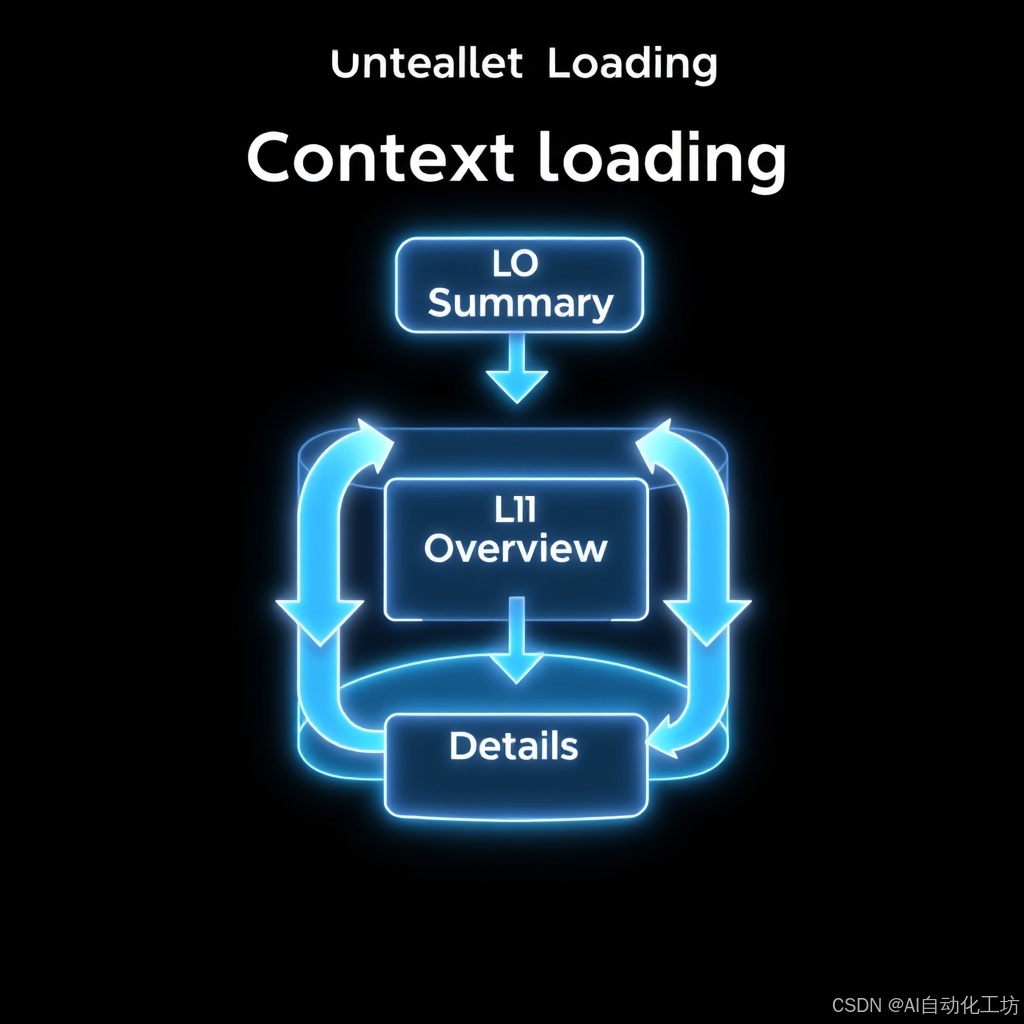
三层加载配置
layers:
  l0:
    enabled: true
    compression_ratio: 0.05  # L0层压缩率5%
    compression_algorithm: "gzip"

  l1:
    enabled: true
    compression_ratio: 0.25  # L1层压缩率25%
    summary_length: 500      # 摘要最大长度

  l2:
    enabled: true
    full_content: true       # 保留完整内容
    compression: "none"      # 不压缩
layers:
  l0:
    enabled: true
    compression_ratio: 0.05  # L0 layer compression ratio 5%
    compression_algorithm: "gzip"

  l1:
    enabled: true
    compression_ratio: 0.25  # L1 layer compression ratio 25%
    summary_length: 500      # Maximum summary length

  l2:
    enabled: true
    full_content: true       # Preserve full content
    compression: "none"      # No compression
检索配置
retrieval:
  algorithm: "directory_recursive"
  max_depth: 5               # 目录递归最大深度
  batch_size: 50             # 批量处理大小
  similarity_threshold: 0.65 # 相似度阈值

cache:
  enabled: true
  type: "redis"
  ttl: 3600                  # 缓存过期时间(秒)
  max_size: "1GB"
retrieval:
  algorithm: "directory_recursive"
  max_depth: 5               # Maximum directory recursion depth
  batch_size: 50             # Batch processing size
  similarity_threshold: 0.65 # Similarity threshold

cache:
  enabled: true
  type: "redis"
  ttl: 3600                  # Cache expiration time (seconds)
  max_size: "1GB"
Docker部署
# docker-compose.yaml
version: '3.8'

services:
  openviking-api:
    image: openviking/openviking-api:latest
    container_name: openviking-api
    ports:
      - "8080:8080"
    volumes:
      - ./configs:/app/configs
      - ./data:/app/data
      - ./logs:/app/logs
    environment:
      - ENVIRONMENT=development
      - LOG_LEVEL=INFO
    restart: unless-stopped

  openviking-web:
    image: openviking/openviking-web:latest
    container_name: openviking-web
    ports:
      - "3000:3000"
    depends_on:
      - openviking-api
    environment:
      - API_URL=http://openviking-api:8080
    restart: unless-stopped

  redis:
    image: redis:7-alpine
    container_name: openviking-redis
    ports:
      - "6379:6379"
    volumes:
      - redis-data:/data
    restart: unless-stopped

volumes:
  redis-data:
# docker-compose.yaml
version: '3.8'

services:
  openviking-api:
    image: openviking/openviking-api:latest
    container_name: openviking-api
    ports:
      - "8080:8080"
    volumes:
      - ./configs:/app/configs
      - ./data:/app/data
      - ./logs:/app/logs
    environment:
      - ENVIRONMENT=development
      - LOG_LEVEL=INFO
    restart: unless-stopped

  openviking-web:
    image: openviking/openviking-web:latest
    container_name: openviking-web
    ports:
      - "3000:3000"
    depends_on:
      - openviking-api
    environment:
      - API_URL=http://openviking-api:8080
    restart: unless-stopped

  redis:
    image: redis:7-alpine
    container_name: openviking-redis
    ports:
      - "6379:6379"
    volumes:
      - redis-data:/data
    restart: unless-stopped

volumes:
  redis-data:
启动命令:
docker-compose up -d
docker-compose logs -f openviking-api
Startup commands:
docker-compose up -d
docker-compose logs -f openviking-api
核心概念与架构
文件系统范式
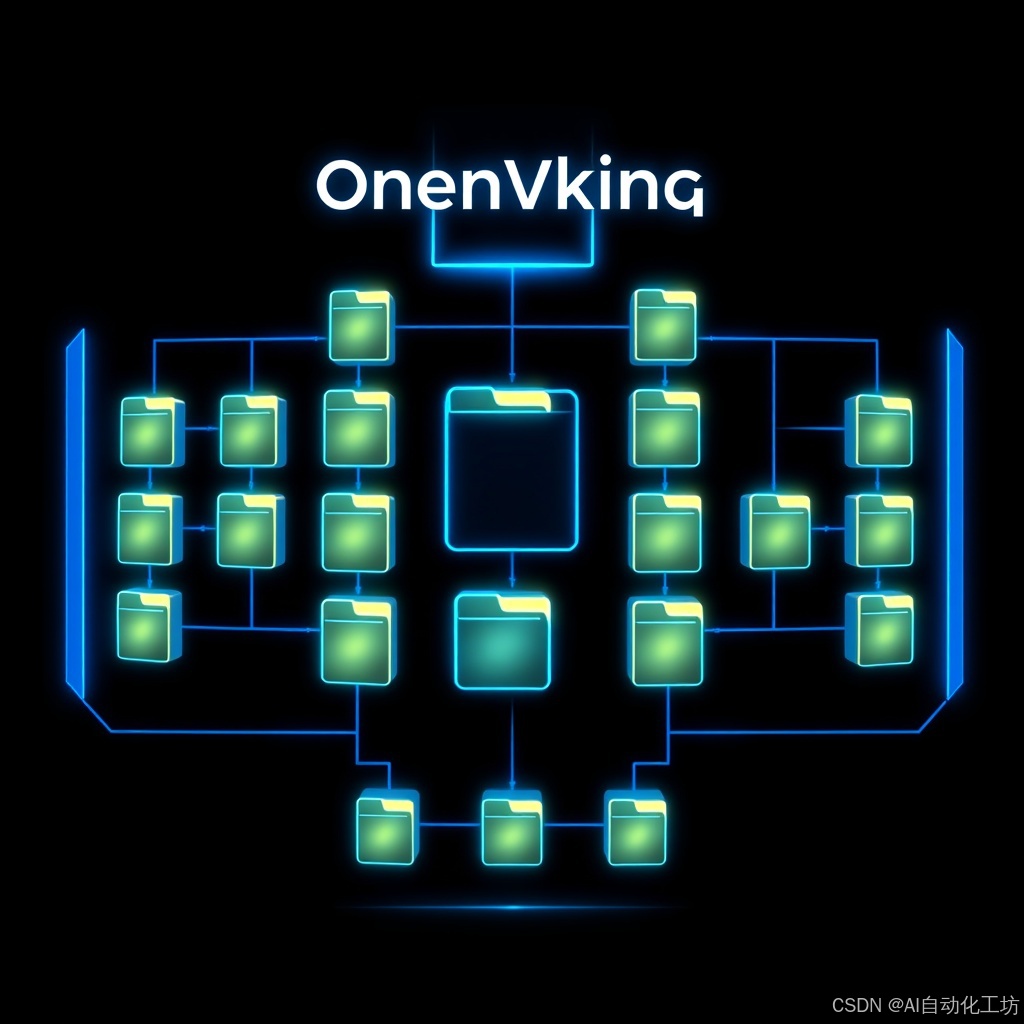
OpenViking采用虚拟文件系统管理上下文:
viking://agent-id/
├── memories/          # 记忆存储
│   ├── user-123/     # 用户记忆
│   ├── project-x/    # 项目记忆
│   └── skills/       # 技能记忆
├── resources/        # 资源文件
│   ├── docs/        # 文档库
│   ├── code/        # 代码片段
│   └── configs/     # 配置文件
└── workspace/       # 工作空间
    ├── current/     # 当前任务
    └── history/     # 历史记录
OpenViking employs a virtual file system paradigm to manage context:
viking://agent-id/
├── memories/          # Memory storage
│   ├── user-123/     # User memories
│   ├── project-x/    # Project memories
│   └── skills/       # Skill memories
├── resources/        # Resource files
│   ├── docs/        # Document library
│   ├── code/        # Code snippets
│   └── configs/     # Configuration files
└── workspace/       # Workspace
    ├── current/     # Current tasks
    └── history/     # Historical records
API接口使用
Python SDK安装
pip install openviking-sdk
pip install openviking-sdk
基础操作示例
from openviking import VikingClient

# 初始化客户端
client = VikingClient(
    base_url="http://localhost:8080",
    api_key="your-api-key"
)

# 创建上下文存储
context_store = client.create_context_store(
    name="customer-service",
    description="客服系统上下文存储"
)

# 写入记忆
memory_id = client.write_memory(
    store_id=context_store.id,
    path="memories/user-123/conversation-001",
    content="用户咨询产品功能...",
    metadata={
        "user_id": "user-123",
        "timestamp": "2024-03-15T10:00:00Z",
        "category": "product_inquiry"
    }
)

# 检索上下文
results = client.retrieve(
    store_id=context_store.id,
    query="用户询问产品功能",
    max_results=10,
    layer="l1"  # 使用L1层内容
)
from openviking import VikingClient

# Initialize client
client = VikingClient(
    base_url="http://localhost:8080",
    api_key="your-api-key"
)

# Create context store
context_store = client.create_context_store(
    name="customer-service",
    description="Customer service system context storage"
)

# Write memory
memory_id = client.write_memory(
    store_id=context_store.id,
    path="memories/user-123/conversation-001",
    content="User inquired about product features...",
    metadata={
        "user_id": "user-123",
        "timestamp": "2024-03-15T10:00:00Z",
        "category": "product_inquiry"
    }
)

# Retrieve context
results = client.retrieve(
    store_id=context_store.id,
    query="User asked about product features",
    max_results=10,
    layer="l1"  # Use L1 layer content
)
三层加载实战
L0层:元数据管理
# 创建L0层摘要
from openviking.compressors import L0Compressor

compressor = L0Compressor(ratio=0.05)
content = """OpenViking是一个专为AI代理设计的上下文数据库...
详细的技术架构包括文件系统范式、三层加载策略..."""

l0_content = compressor.compress(content)
# 输出:OpenViking是AI代理上下文数据库...文件系统范式...三层加载...

print(f"原始大小:{len(content)} 字符")
print(f"L0压缩后:{len(l0_content)} 字符")
print(f"压缩率:{len(l0_content)/len(content)*100:.1f}%")
# Create L0 layer summary
from openviking.compressors import L0Compressor

compressor = L0Compressor(ratio=0.05)
content = """OpenViking is a context database designed for AI agents...
The detailed technical architecture includes file system paradigm, three-layer loading strategy..."""

l0_content = compressor.compress(content)
# Output: OpenViking is an AI agent context database...file system paradigm...three-layer loading...

print(f"Original size: {len(content)} characters")
print(f"After L0 compression: {len(l0_content)} characters")
print(f"Compression ratio: {len(l0_content)/len(content)*100:.1f}%")
L1层:核心要点提取
from openviking.compressors import L1Compressor

compressor = L1Compressor(ratio=0.25)
l1_content = compressor.compress(content)

# L1层保留关键信息:
# - OpenViking:AI代理上下文数据库
# - 核心技术:文件系统范式、三层加载策略
# - 优势:降低成本、提高检索效率
from openviking.compressors import L1Compressor

compressor = L1Compressor(ratio=0.25)
l1_content = compressor.compress(content)

# L1 layer retains key information:
# - OpenViking: AI agent context database
# - Core technologies: File system paradigm, three-layer loading strategy
# - Advantages: Reduces cost, improves retrieval efficiency
L2层:完整内容存储
# L2层存储完整内容
from openviking.storage import FileStorage

storage = FileStorage(base_path="./data")
storage.write(
    path="viking://agent-001/resources/docs/openviking-intro.md",
    content=content,  # 完整内容
    layer="l2"
)
# L2 layer stores full content
from openviking.storage import FileStorage

storage = FileStorage(base_path="./data")
storage.write(
    path="viking://agent-001/resources/docs/openviking-intro.md",
    content=content,  # Full content
    layer="l2"
)
集成主流AI框架
LangChain集成
内存管理集成
from langchain.memory import OpenVikingMemory
from langchain.agents import initialize_agent

# 创建OpenViking内存
memory = OpenVikingMemory(
    base_path="viking://customer-agent/",
    client_config={
        "base_url": "http://localhost:8080",
        "api_key": "your-key"
    }
)

# 初始化代理
agent = initialize_agent(
    tools=[web_search, calculator, database_query],
    llm=llm,
    memory=memory,
    agent_type="chat-conversational-react-description",
    verbose=True
)

# 运行代理
response = agent.run("用户上次咨询的问题是什么?")
from langchain.memory import OpenVikingMemory
from langchain.agents import initialize_agent

# Create OpenViking memory
memory = OpenVikingMemory(
    base_path="viking://customer-agent/",
    client_config={
        "base_url": "http://localhost:8080",
        "api_key": "your-key"
    }
)

# Initialize agent
agent = initialize_agent(
    tools=[web_search, calculator, database_query],
    llm=llm,
    memory=memory,
    agent_type="chat-conversational-react-description",
    verbose=True
)

# Run agent
response = agent.run("What was the user's last inquiry?")
检索增强集成
from langchain.retrievers import Open

## 常见问题(FAQ)

### OpenViking与传统RAG方案相比有哪些核心优势?

OpenViking通过其文件系统范式和三层加载策略,解决了传统RAG在长期、多步骤任务中成本高、效率低的问题,能显著提升性能并降低成本。

### 部署OpenViking需要满足哪些系统要求?

建议使用Ubuntu 22.04+系统,至少8GB内存(生产环境建议16GB+),50GB可用存储空间,并确保网络可访问Docker Hub和GitHub。

### 如何快速开始配置和部署OpenViking?

首先克隆项目仓库,然后复制配置文件模板并进行编辑,重点关注基础配置(如环境、存储类型)和三层加载策略的压缩率等参数设置。
版权与免责声明:本文仅用于信息分享与交流,不构成任何形式的法律、投资、医疗或其他专业建议,也不构成对任何结果的承诺或保证。
文中提及的商标、品牌、Logo、产品名称及相关图片/素材,其权利归各自合法权利人所有。本站内容可能基于公开资料整理,亦可能使用 AI 辅助生成或润色;我们尽力确保准确与合规,但不保证完整性、时效性与适用性,请读者自行甄别并以官方信息为准。
若本文内容或素材涉嫌侵权、隐私不当或存在错误,请相关权利人/当事人联系本站,我们将及时核实并采取删除、修正或下架等处理措施。 也请勿在评论或联系信息中提交身份证号、手机号、住址等个人敏感信息。