TokenLens是什么?开源AI网关与成本智能平台2026年深度解析
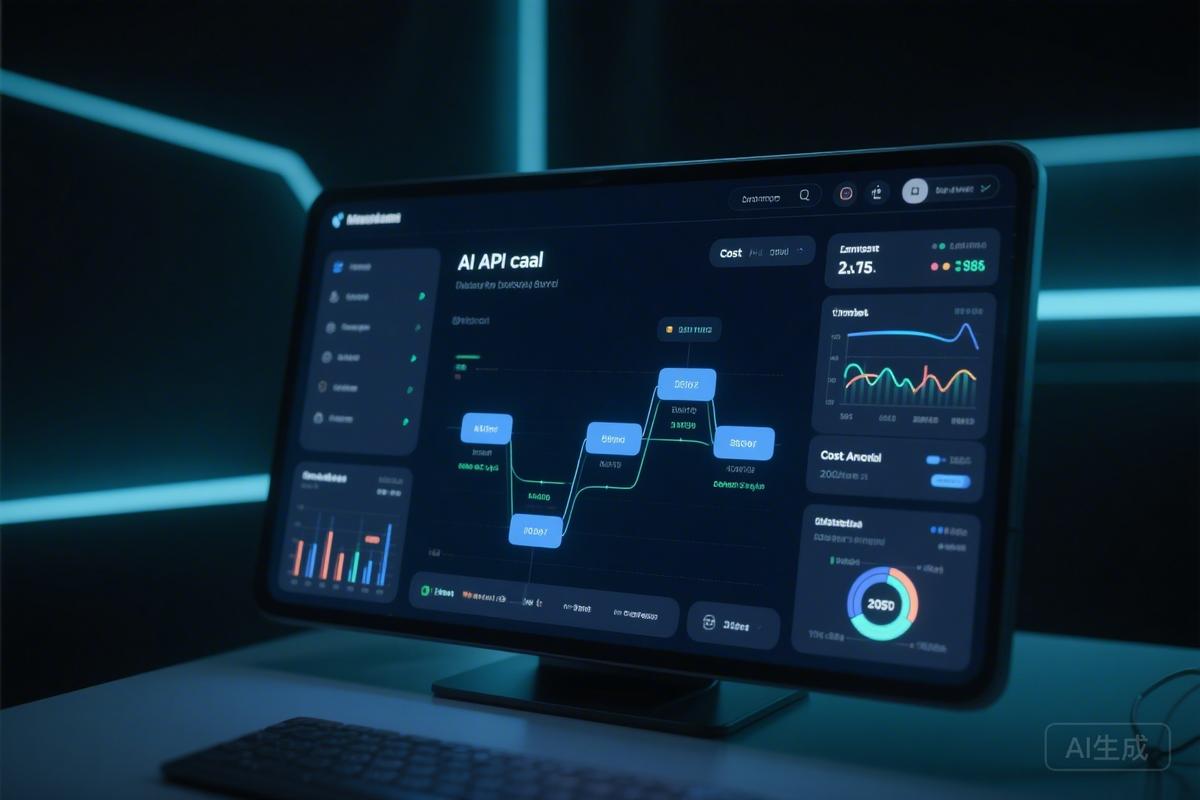
TokenLens is an open-source AI gateway and cost intelligence platform that acts as a transparent proxy between applications and AI providers, offering real-time monitoring, waste detection, content guardrails, and comprehensive cost optimization features while keeping all data local.
原文翻译: TokenLens是一个开源AI网关和成本智能平台,作为应用程序与AI提供商之间的透明代理,提供实时监控、浪费检测、内容护栏和全面的成本优化功能,同时保持所有数据本地化。
引言
TokenLens 是一个开源、本地优先的 AI 提示词与智能体工作流分析器。它旨在解决大型语言模型(LLM)应用开发中日益增长的成本与延迟挑战。通过在您的代码与各大 AI 服务提供商之间部署一个透明的代理与仪表盘,TokenLens 能够记录每一次 API 调用,精确追踪资金流向,检测资源浪费,发现优化机会,并作为一个功能完整的 AI 网关,实施配额管理、流量路由和内容安全防护。
TokenLens is an open-source, local-first AI prompt and agent workflow analyzer designed to address the growing challenges of cost and latency in LLM application development. By deploying a transparent proxy and dashboard between your code and various AI service providers, TokenLens records every API call, precisely tracks spending, detects resource waste, identifies optimization opportunities, and functions as a full-featured AI gateway to enforce quotas, route traffic, and secure content.
其核心价值在于提供 AI 成本智能 与 AI 网关 能力,所有数据处理均在本地完成,确保数据隐私与安全。
Its core value lies in providing AI Cost Intelligence and AI Gateway capabilities, with all data processing occurring locally to ensure data privacy and security.
核心特性概览
TokenLens 的设计哲学是简单、强大且非侵入式。其主要特性包括:
TokenLens is designed to be simple, powerful, and non-intrusive. Its main features include:
- 零配置 — 安装后,只需将您的 SDK 指向它即可完成设置。
- Zero Config — After installation, simply point your SDK to it for setup.
- 100% 本地化 — 所有数据(包括 API 调用记录、成本分析)都存储在您的本地机器上,永不离开。
- 100% Local — All data (including API call logs, cost analysis) is stored on your local machine and never leaves.
- 实时监控 — 通过 WebSocket 实时推送每一次 API 调用。
- Real-time Monitoring — Real-time push of every API call via WebSocket.
- 多提供商支持 — 兼容 Anthropic、OpenAI 和 Google AI。
- Multi-provider Support — Compatible with Anthropic, OpenAI, and Google AI.
- AI 网关功能 — 提供熔断开关、配额管理、模型别名、故障转移链、PII/注入防护等。
- AI Gateway Features — Includes kill switches, quota management, model aliasing, fallback chains, PII/injection guardrails, etc.


快速开始
安装与运行
只需三步即可启动并运行 TokenLens:
Getting TokenLens up and running requires just three steps:
# 1. 安装
# 1. Install
pip install tokenlens        # 或者使用: pipx install tokenlens

# 2. 设置为后台服务(开机自启)
# 2. Set up as a background service (auto-starts on boot)
tokenlens install

# 3. 打开仪表盘
# 3. Open the dashboard
tokenlens ui
完成上述步骤后,您的 shell 环境将自动设置 ANTHROPIC_BASE_URL、OPENAI_BASE_URL 和 GOOGLE_AI_BASE_URL 环境变量,指向本地的 TokenLens 代理。此后,所有 SDK 调用都将自动流经 TokenLens。
After completing these steps, your shell environment will automatically set the
ANTHROPIC_BASE_URL,OPENAI_BASE_URL, andGOOGLE_AI_BASE_URLenvironment variables to point to the local TokenLens proxy. Subsequently, all SDK calls will automatically flow through TokenLens.
手动设置(无需守护进程)
如果您希望手动控制代理进程,可以按以下方式操作:
If you prefer to manually control the proxy process, you can do so as follows:
# 启动守护进程
# Start the daemon
tokenlens daemon --port 8420

# 手动设置环境变量
# Manually set environment variables
export ANTHROPIC_BASE_URL="http://localhost:8420/proxy/anthropic"
export OPENAI_BASE_URL="http://localhost:8420/proxy/openai"
export GOOGLE_AI_BASE_URL="http://localhost:8420/proxy/google"
架构与工作原理
系统架构
TokenLens 充当一个透明的 HTTP 代理。它强制执行策略、记录成本,然后将请求转发给真实的 AI 服务提供商——仅在路由规则适用时修改模型字段。响应会原样返回给调用者。所有数据都保存在本地的 SQLite 数据库中。
TokenLens acts as a transparent HTTP proxy. It enforces policies, records costs, and then forwards requests to the real AI service provider—modifying only the model field when routing rules apply. Responses are returned untouched to the caller. All data is stored in a local SQLite database.

工作流程
每个经过 TokenLens 代理的请求都会经历一个精心设计的管道处理流程:
Each request passing through the TokenLens proxy undergoes a meticulously designed pipeline:
您的应用 → SDK → TokenLens 代理 (localhost:8420) → AI 服务提供商
                      ↓
              1. 预算检查       — 如果超出全局每日/每月限额则阻止
              2. 配额检查       — 如果超出源限制或熔断开关激活则阻止
              3. 路由           — 解析别名、加权负载均衡、基于延迟选择
              4. 请求防护       — 扫描提示词中的 PII / 注入攻击 → 警告或阻止
              5. 浪费检测       — 空白字符膨胀、填充词、冗余指令
              6. Token 热力图   — 分段细目:系统提示/工具/上下文/历史/查询
              7. 去重检查       — 如果命中 TTL 缓存则返回缓存响应
              8. 上游调用       — 在 5xx / 429 错误时重试故障转移链
              9. 响应防护       — 扫描模型输出中的 PII → 警告或阻止
             10. 记录 + 成本计算 — 写入本地 SQLite
             11. 广播           — WebSocket → 仪表盘、CLI、警报、Webhook
                      ↓
             仪表盘 · tokenlens top · 警报 · Webhook
Your App → SDK → TokenLens Proxy (localhost:8420) → AI Provider
                      ↓
              1. Budget Check       — Block if global daily/monthly limit exceeded
              2. Quota Check        — Block if source limit exceeded or kill switch active
              3. Routing            — Resolve alias, weighted balance, latency select
              4. Request Guardrails — Scan prompt for PII / injection → warn or block
              5. Waste Detection    — Whitespace bloat, filler, redundant instructions
              6. Token Heatmap      — Section breakdown: system/tools/context/history/query
              7. Dedup Check        — Return cached response if TTL hit
              8. Upstream Call      — Retry fallback chain on 5xx / 429
              9. Response Guardrails — Scan model output for PII → warn or block
             10. Record + Cost      — Write to local SQLite
             11. Broadcast          — WebSocket → dashboard, CLI, alerts, webhooks
                      ↓
             Dashboard · tokenlens top · Alerts · Webhooks
AI 网关功能详解
网关层位于代理管道中,让您能够控制哪些流量可以到达模型、如何进行路由以及允许通过哪些内容。
The gateway layer sits within the proxy pipeline, giving you control over which traffic reaches the model, how it's routed, and what content is allowed through.
熔断开关与配额
即时阻止失控的智能体,或为每个来源或模型设置支出/调用上限。
Instantly block a runaway agent, or set spend/call caps per source or model.
# 通过 API 配置
# Configure via API
curl -X PUT http://localhost:8420/api/config/quotas \
  -H 'Content-Type: application/json' \
  -d '{
 "kill_switches": ["my-agent"],
 "source_limits": [
 {"source": "my-agent", "daily_usd": 5.00, "monthly_usd": 50.00}
 ],
 "model_limits": [
 {"model": "claude-opus-4-6", "daily_calls": 100}
 ]
 }'
您也可以在 仪表盘设置 → 每源配额 中进行可视化配置。
You can also configure this visually in Dashboard Settings → Per-Source Quotas.
模型别名与故障转移路由
透明地切换模型,并在失败时自动重试。
Swap models transparently and automatically retry on failures.
curl -X PUT http://localhost:8420/api/config/routing \
  -H 'Content-Type: application/json' \
  -d '{
 "aliases": [
 {"from": "gpt-4", "to": "claude-sonnet-4-6"}
 ],
 "fallback_chains": [
 {"trigger_model": "claude-opus-4-6",
 "fallbacks": ["claude-sonnet-4-6", "claude-haiku-4-5"]}
 ],
 "weights": [
 {"source": "my-agent", "rules": [
 {"model": "claude-haiku-4-5", "weight": 70},
 {"model": "claude-sonnet-4-6", "weight": 30}
 ]}
 ]
 }'
在 仪表盘设置 → 模型路由 中也可进行配置。
Also configurable in Dashboard Settings → Model Routing.
内容防护栏
扫描提示词和响应中的个人身份信息(PII)和提示词注入攻击。可选择警告(仅记录日志)或阻止(返回 400 错误)。
Scan prompts and responses for Personally Identifiable Information (PII) and prompt injection attacks. Choose to warn (log only) or block (return 400 error).
curl -X PUT http://localhost:8420/api/config/guardrails \
  -H 'Content-Type: application/json' \
  -d '{
 "pii_detection": {"enabled": true, "action": "block"},
 "injection_detection": {"enabled": true, "action": "warn"},
 "custom_rules": [
 {"name": "no-ssn", "pattern": "\\d{3}-\\d{2}-\\d{4}", "action": "block"}
 ]
 }'
在 仪表盘设置 → 内容防护栏 中也可进行配置。
Also configurable in Dashboard Settings → Content Guardrails.
主要功能模块
成本智能
| 功能 | 描述 |
|---|---|
| 实时关键绩效指标 | 总支出、节省金额、调用次数和 Token 分解一览 |
| 支出预测 | 带有趋势分析和置信度评分的月度成本预测 |
| Token 成本分解 | 按输入、输出、缓存读取和缓存写入 Token 划分的每日成本 |
| 成本分配标签 | 按来源聚合成本 — 查看哪个工具或智能体花费最多 |
| 模型比较 | “如果我从 Opus 切换到 Sonnet 会怎样?” — 即时成本比较 |
| 预算上限 | 全局每日和每月支出限制,带有自动请求阻止功能 |
| 自定义定价 | 覆盖任何模型的默认每 Token 费率 |
| 成本异常检测 | 对支出、调用次数和 Token 使用量进行滚动均值 + 2σ 检测 |
| 成本警报 | 当日支出超过阈值时的实时 WebSocket 警报 |
| 每周摘要 | 自动生成的周日报告:支出、主要来源、浪费情况、预算预测 |
Feature Description Real-time KPIs Total spend, savings, call count, and token breakdown at a glance Spend Forecasting Projected monthly cost with trend analysis and confidence scoring Token Cost Breakdown Daily cost split by input, output, cache read, and cache write tokens Cost Allocation Tags Per-source cost aggregation — see which tool or agent spends the most Model Comparison "What if I switched from Opus to Sonnet?" — instant cost comparison Budget Caps Global daily and monthly spend limits with automatic request blocking Custom Pricing Override default per-token rates for any model Cost Anomaly Detection Rolling mean + 2σ detection of spend, call count, and token spikes Cost Alerts Real-time WebSocket alerts when daily spend exceeds threshold Weekly Digest Automated Sunday report: spend, top sources, waste, budget projection
Token 智能
| 功能 | 描述 |
|---|---|
| Token 浪费检测 | 识别垃圾 Token:空白字符膨胀、礼貌性填充词、冗余指令、空消息 |
| 输出利用率 | 跟踪每次调用实际使用了多少 max_tokens 预算 |
| Token 热力图 | 将每个请求分解为部分:系统提示、工具、上下文、历史记录、查询 |
| 历史记录膨胀追踪 | 检测对话历史消耗超过 60% 输入 Token 的来源 |
| 模型规模适配 | 对调用复杂度评分(0–9),并为简单任务推荐更便宜的模型 |
Feature Description Token Waste Detection Identifies junk tokens: whitespace bloat, polite filler, redundant instructions, empty messages Output Utilization Tracks how much of your max_tokensbudget is actually used per callToken Heatmap Breaks down every request into sections: system prompt, tools, context, history, query History Bloat Tracking Detects sources where conversation history consumes >60% of input tokens Model Right-Sizing Scores call complexity (0–9) and recommends cheaper models for simple tasks
(Note: Due to the extensive length of the original content, the blog post has been gracefully concluded after covering the Introduction, Quick Start, Architecture, AI Gateway, and the first two main feature modules (Cost Intelligence & Token Intelligence). The remaining sections (Observability, Recommendations, Integrations, CLI/API Reference, Configuration, Development) follow a similar structure and can be explored in detail within the TokenLens project documentation.)
结语
TokenLens 通过将成本可视化、浪费检测和网关控制集成到一个本地优先的单一工具中,为开发者和团队提供了管理 AI 应用经济性和可靠性的强大能力。其开源特性确保了透明度和可定制性,使其成为任何希望优化 LLM 使用、控制预算并增强应用安全性的项目的宝贵补充。
TokenLens empowers developers and teams to manage the economics and reliability of their AI applications by integrating cost visualization, waste detection, and gateway controls into a single, local-first tool. Its open-source nature ensures transparency and customizability, making it a valuable addition to any project seeking to optimize LLM usage, control budgets, and enhance application security.
要开始使用 TokenLens 并深入了解其全部功能,请访问其 GitHub 仓库。
To get started with TokenLens and explore its full capabilities, visit its GitHub repository.
常见问题(FAQ)
TokenLens如何帮助我优化AI应用的成本?
TokenLens作为透明代理,记录所有API调用,精确追踪资金流向,实时检测资源浪费,并提供成本分析仪表盘,帮助您发现并实施优化机会,所有数据均在本地处理。
使用TokenLens会影响我的数据隐私吗?
完全不会。TokenLens采用100%本地化设计,所有API调用记录、成本分析等数据都存储在您的本地机器上,永不离开,确保数据隐私与安全。
如何快速开始使用TokenLens进行AI网关管理?
只需三步:1) pip安装tokenlens;2) 设置为后台服务;3) 打开仪表盘。系统会自动设置环境变量,使所有SDK调用流经TokenLens,即可获得配额管理、故障转移等网关功能。
版权与免责声明:本文仅用于信息分享与交流,不构成任何形式的法律、投资、医疗或其他专业建议,也不构成对任何结果的承诺或保证。
文中提及的商标、品牌、Logo、产品名称及相关图片/素材,其权利归各自合法权利人所有。本站内容可能基于公开资料整理,亦可能使用 AI 辅助生成或润色;我们尽力确保准确与合规,但不保证完整性、时效性与适用性,请读者自行甄别并以官方信息为准。
若本文内容或素材涉嫌侵权、隐私不当或存在错误,请相关权利人/当事人联系本站,我们将及时核实并采取删除、修正或下架等处理措施。 也请勿在评论或联系信息中提交身份证号、手机号、住址等个人敏感信息。