如何构建本地混合RAG系统?ONNX与Foundry Local离线AI助手实现
AI Summary (BLUF)
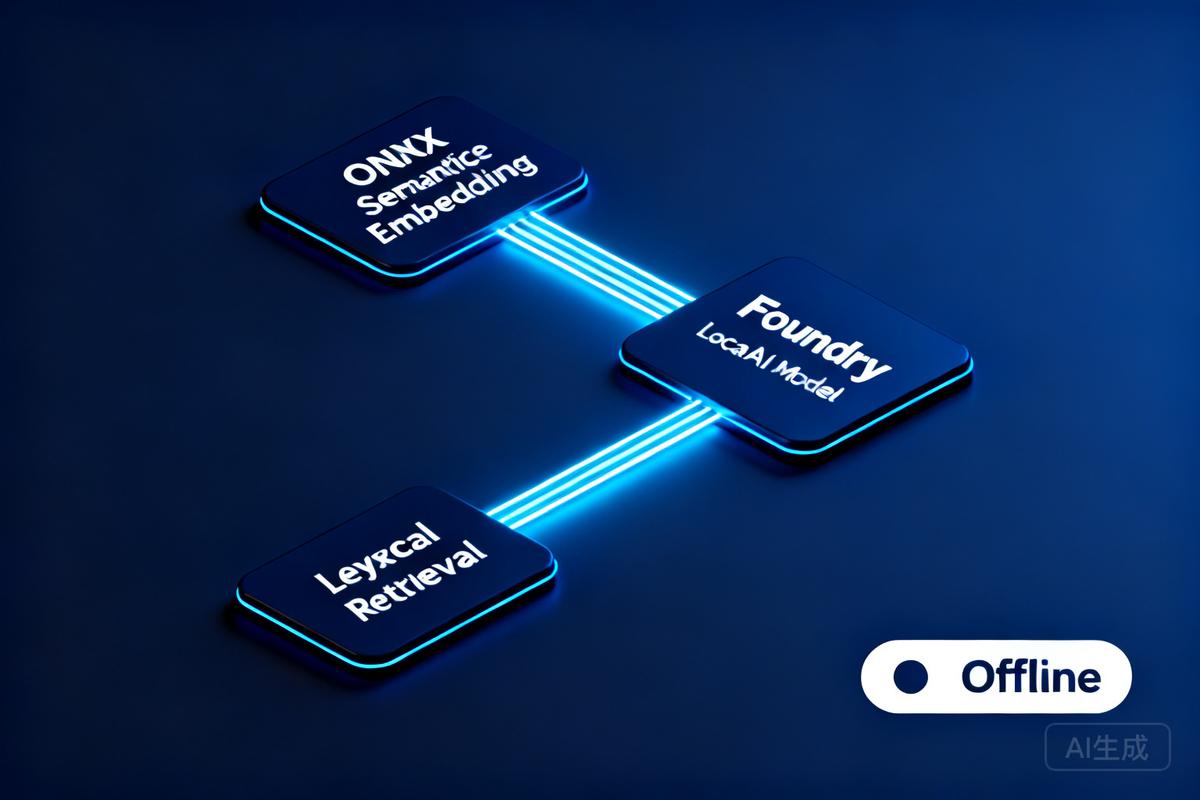
This article presents a local hybrid RAG pattern combining lexical retrieval, ONNX-based semantic embeddings, and Foundry Local chat model for offline AI assistants. It covers architecture, implementation, and best practices for graceful degradation when semantic path fails.
原文翻译:本文介绍了一种本地混合RAG模式,结合词法检索、基于ONNX的语义嵌入和Foundry Local聊天模型,用于离线AI助手。涵盖架构、实现和最佳实践,确保语义路径不可用时优雅降级。
Introduction
If you are building local AI applications, basic retrieval augmented generation is often only the starting point. This sample shows a more practical pattern: combine lexical retrieval, ONNX based semantic embeddings, and a Foundry Local本地AI模型管理工具,用于发现、下载、缓存和加载聊天模型。 chat model so the assistant stays grounded, remains offline, and degrades cleanly when the semantic path is unavailable.
如果你正在构建本地 AI 应用,基础的检索增强生成通常只是一个起点。本示例展示了一种更实用的模式:结合词汇检索、基于 ONNX 的语义嵌入和 Foundry Local本地AI模型管理工具,用于发现、下载、缓存和加载聊天模型。 聊天模型,使助手保持基于事实、离线运行,并在语义路径不可用时优雅降级。
Many local RAG samples rely on a single retrieval strategy. That is usually enough for a proof of concept, but it breaks down quickly in production. Exact keywords, acronyms, and document codes behave differently from natural language questions and paraphrased requests.
许多本地 RAG 示例依赖于单一的检索策略。这对于概念验证通常足够,但在生产环境中会迅速失效。精确关键词、缩写和文档代码与自然语言问题及释义请求的表现截然不同。
This repository keeps the original lexical retrieval path, adds local ONNX embeddings for semantic search, and fuses both signals in a hybrid ranking mode. The generation step runs through Foundry Local本地AI模型管理工具,用于发现、下载、缓存和加载聊天模型。, so the entire assistant can remain on device.
该仓库保留了原始的词汇检索路径,添加了用于语义搜索的本地 ONNX 嵌入,并在混合排序模式下融合两种信号。生成步骤通过 Foundry Local本地AI模型管理工具,用于发现、下载、缓存和加载聊天模型。 运行,因此整个助手可以保持在设备上运行。
- Lexical mode handles exact terms and structured vocabulary.
- Semantic mode handles paraphrases and more natural language phrasing.
- Hybrid mode combines both and is usually the best default.
- Lexical fallback protects the user experience if the embedding pipeline cannot start.
- 词汇模式处理精确术语和结构化词汇。
- 语义模式处理释义和更自然的语言表达。
- 混合模式结合两者,通常是最佳的默认选择。
- 词汇回退在嵌入管道无法启动时保护用户体验。
Architecture Overview
The sample has two main flows: an offline ingestion pipeline and a local query pipeline.
该示例包含两个主要流程:离线数据摄取管道和本地查询管道。
Ingestion Pipeline
- Read Markdown files from
docs/. - Parse front matter and split each document into overlapping chunks.
- Generate dense embeddings when the ONNX model is available.
- Store chunks in SQLite轻量级关系型数据库管理系统,用于本地记忆存储。 with both sparse lexical features and optional dense vectors.
- 从
docs/读取 Markdown 文件。- 解析前置元数据并将每个文档分割成重叠的块。
- 当 ONNX 模型可用时生成稠密嵌入。
- 将块存储在 SQLite轻量级关系型数据库管理系统,用于本地记忆存储。 中,包含稀疏词汇特征和可选的稠密向量。
Query Pipeline
- The browser posts a question to the Express API.
ChatEngineresolves the requested retrieval mode.VectorStoreretrieves lexical, semantic, or hybrid results.- The prompt is assembled with the retrieved context and sent to a Foundry Local本地AI模型管理工具,用于发现、下载、缓存和加载聊天模型。 chat model.
- The answer is returned with source references and retrieval metadata.
- 浏览器向 Express API 提交问题。
ChatEngine解析请求的检索模式。VectorStore检索词汇、语义或混合结果。- 使用检索到的上下文组装提示,并发送给 Foundry Local本地AI模型管理工具,用于发现、下载、缓存和加载聊天模型。 聊天模型。
- 返回答案,附带来源引用和检索元数据。
Key Implementation Files
The implementation is compact and readable. The main files to understand are listed below.
实现紧凑且可读性强。需要理解的主要文件如下。
| File | Purpose |
|---|---|
src/config.js |
Retrieval defaults, paths, and model settings |
src/embeddingEngine.js |
Local ONNX embedding generation through Transformers.js在浏览器和Node.js中运行Transformer模型的JavaScript库。 |
src/vectorStore.js |
SQLite轻量级关系型数据库管理系统,用于本地记忆存储。 storage plus lexical, semantic, and hybrid ranking |
src/chatEngine.js |
Retrieval mode resolution, prompt assembly, and Foundry Local本地AI模型管理工具,用于发现、下载、缓存和加载聊天模型。 model execution |
src/ingest.js |
Document ingestion and embedding generation during indexing |
src/server.js |
REST endpoints, streaming endpoints, upload support, and health reporting |
Getting Started
To run the sample, you need Node.js 20 or newer, Foundry Local本地AI模型管理工具,用于发现、下载、缓存和加载聊天模型。, and a local ONNX embedding model. The default model path is models/embeddings/bge-small-en-v1.5.
要运行此示例,你需要 Node.js 20 或更高版本、Foundry Local本地AI模型管理工具,用于发现、下载、缓存和加载聊天模型。 以及一个本地 ONNX 嵌入模型。默认模型路径为
models/embeddings/bge-small-en-v1.5。
cd c:\Users\leestott\local-hybrid-retrival-onnx
npm install huggingface-cli
download BAAI/bge-small-en-v1.5 --local-dir models/embeddings/bge-small-en-v1.5
npm run ingest
npm start
Ingestion writes the local SQLite轻量级关系型数据库管理系统,用于本地记忆存储。 database to data/rag.db. If the embedding model is available, each chunk gets a dense vector as well as lexical features. If the embedding model is missing, ingestion still succeeds and the application remains usable in lexical mode.
数据摄取将本地 SQLite轻量级关系型数据库管理系统,用于本地记忆存储。 数据库写入
data/rag.db。如果嵌入模型可用,每个块将获得稠密向量和词汇特征。如果嵌入模型缺失,数据摄取仍然成功,应用程序在词汇模式下仍然可用。
Best practice: local AI applications should treat model files, SQLite轻量级关系型数据库管理系统,用于本地记忆存储。 data, and native runtime compatibility as part of the deployable system, not as optional developer conveniences.
最佳实践:本地 AI 应用程序应将模型文件、SQLite轻量级关系型数据库管理系统,用于本地记忆存储。 数据和原生运行时兼容性视为可部署系统的一部分,而非可选的开发者便利设施。
Configuration and Design Details
Retrieval Configuration
The sample makes its retrieval behaviour explicit in configuration. That is useful for testing and for operator visibility.
该示例在配置中明确其检索行为。这对于测试和操作员可见性非常有用。
export const config = {
  model: "phi-3.5-mini",
  docsDir: path.join(ROOT, "docs"),
  dbPath: path.join(ROOT, "data", "rag.db"),
  chunkSize: 200,
  chunkOverlap: 25,
  topK: 3,
  retrievalMode: process.env.RETRIEVAL_MODE || "hybrid",
  retrievalModes: ["lexical", "semantic", "hybrid"],
  fallbackRetrievalMode: "lexical",
  retrievalWeights: {
    lexical: 0.45,
    semantic: 0.55,
  },
};
Those defaults tell you a lot about the intended operating profile. Chunks are small, the number of returned chunks is low, and the fallback path is explicit.
这些默认值告诉你很多关于预期运行配置的信息。块很小,返回的块数量很少,回退路径也很明确。
Embedding Engine
The embedding engine disables remote model loading and only uses local files. That matters for privacy, repeatability, and air gapped operation.
嵌入引擎禁用远程模型加载,仅使用本地文件。这对于隐私、可重复性和离线操作至关重要。
env.allowLocalModels = true;
env.allowRemoteModels = false;

this.extractor = await pipeline("feature-extraction", resolvedPath, {
  local_files_only: true,
});

const output = await this.extractor(text, {
  pooling: "mean",
  normalize: true,
});
The mean pooling and normalisation step make the vectors suitable for cosine similarity based ranking.
均值池化和归一化步骤使向量适用于基于余弦相似度的排序。
Vector Store: Hybrid Search with Fallback
Instead of adding a separate vector database, the sample stores lexical and semantic representations in the same SQLite轻量级关系型数据库管理系统,用于本地记忆存储。 table. That keeps the local footprint low and the implementation easy to debug.
该示例没有添加单独的向量数据库,而是将词汇和语义表示存储在同一个 SQLite轻量级关系型数据库管理系统,用于本地记忆存储。 表中。这保持了较低的本地占用空间,并使实现易于调试。
searchHybrid(query, queryEmbedding, topK = 5, weights = { lexical: 0.45, semantic: 0.55 }) {
  const lexicalResults = this.searchLexical(query, topK * 3);
  const semanticResults = this.searchSemantic(queryEmbedding, topK * 3);

  if (semanticResults.length === 0) {
    return lexicalResults.slice(0, topK).map((row) => ({
      ...row,
      retrievalMode: "lexical",
    }));
  }

  const fused = [...combined.values()].map((row) => ({
    ...row,
    score: (row.lexicalScore * lexicalWeight) + (row.semanticScore * semanticWeight),
  }));

  fused.sort((a, b) => b.score - a.score);
  return fused.slice(0, topK);
}
The important point is not just the weighted fusion. It is the fallback behaviour. If semantic retrieval cannot provide results, the user still gets lexical grounding instead of an empty context window.
重要的不仅仅是加权融合,而是回退行为。如果语义检索无法提供结果,用户仍然可以获得词汇基础,而不是空的上下文窗口。
Chat Engine: Mode Resolution and Fallback
ChatEngine keeps the runtime behaviour predictable. It validates the requested mode and falls back to lexical search when semantic retrieval is unavailable.
ChatEngine保持运行时行为可预测。它验证请求的模式,并在语义检索不可用时回退到词汇搜索。
resolveRetrievalMode(requestedMode) {
  const desiredMode = config.retrievalModes.includes(requestedMode)
    ? requestedMode
    : config.retrievalMode;

  if ((desiredMode === "semantic" || desiredMode === "hybrid") && !this.semanticAvailable) {
    return config.fallbackRetrievalMode;
  }

  return desiredMode;
}
This is a sensible production design because local runtime failures are common. Missing model files or native dependency mismatches should reduce quality, not crash the entire assistant.
这是一个合理的生产设计,因为本地运行时故障很常见。缺失的模型文件或原生依赖不匹配应降低质量,而不是使整个助手崩溃。
Model Management with Foundry Local本地AI模型管理工具,用于发现、下载、缓存和加载聊天模型。
The sample uses FoundryLocalManager to discover, download, cache, and load the configured chat model.
该示例使用
FoundryLocalManager来发现、下载、缓存和加载配置的聊天模型。
const manager = FoundryLocalManager.create({ appName: "gas-field-local-rag" });
const catalog = manager.catalog;

this.model = await catalog.getModel(config.model);

if (!this.model.isCached) {
  await this.model.download((progress) => {
    const pct = Math.round(progress * 100);
    this._emitStatus("download", `Downloading ${this.modelAlias}... ${pct}%`, progress);
  });
}

await this.model.load();
this.chatClient = this.model.createChatClient();
this.chatClient.settings.temperature = 0.1;
This gives the app a better local startup experience. The server can expose a status stream while the model initialises in the background.
这为应用程序提供了更好的本地启动体验。服务器可以在模型在后台初始化时暴露状态流。
Comparison: Classic RAG vs. Hybrid ONNX RAG vs. CAG
The strongest value in this sample comes from where it sits between a basic local RAG baseline and a curated CAG design.
该示例的最大价值在于它位于基本的本地 RAG 基线和精心策划的 CAG 设计之间。
| Dimension | Classic Local RAG | Hybrid ONNX RAG (This Sample) | CAG |
|---|---|---|---|
| Context Assembly | Retrieve chunks at query time, often lexically, then inject into prompt | Retrieve chunks at query time with lexical, semantic, or fused scoring, then inject strongest results | Use a prepared or cached context pack instead of fresh retrieval |
| Main Strength | Easy to implement and explain | Better recall for paraphrases without giving up exact match or offline execution | Predictable prompts and low query time overhead |
| Main Weakness | Misses synonyms and natural language reformulations | More moving parts, larger local asset footprint, native runtime compatibility to manage | Coverage depends on curation quality and goes stale easily |
| Failure Behaviour | Weak retrieval leads to weak grounding | Semantic failure can degrade to lexical retrieval if designed properly | Prepared context can be too narrow for unexpected questions |
| Best Fit | Simple local assistants and proof of concept systems | Offline copilots and technical assistants needing stronger recall across varied phrasing | Stable workflows with tightly bounded, curated knowledge |
Why This Hybrid Design Works
- It captures paraphrased questions that lexical search would often miss.
- It still preserves exact match performance for codes, terms, and product names.
- It gives operators a controlled degradation path when the semantic stack is unavailable.
- It stays local and inspectable without introducing a separate hosted vector service.
- 它能够捕获词汇搜索通常会遗漏的释义问题。
- 它仍然保留了代码、术语和产品名称的精确匹配性能。
- 它为操作员提供了在语义堆栈不可用时的受控降级路径。
- 它保持本地化和可检查性,无需引入单独的托管向量服务。
How It Differs from CAG
- CAG shifts effort into context curation before the request. This sample retrieves evidence dynamically at runtime.
- CAG can be faster for fixed workflows, but it is usually less flexible when the document set changes.
- This hybrid RAG design is better suited to open ended knowledge search and growing document collections.
- CAG 将工作转移到请求之前的上下文策划中。本示例在运行时动态检索证据。
- CAG 对于固定工作流可能更快,但当文档集发生变化时,通常灵活性较差。
- 这种混合 RAG 设计更适合开放式知识搜索和不断增长的文档集合。
Best Practices and Recommendations
- Keep lexical fallback alive. Exact identifiers and runtime failures both make this necessary.
- Persist sparse and dense features together where possible. It simplifies debugging and operational reasoning.
- Use small chunks and conservative
topKvalues for local context budgets. - Expose health and status endpoints so users can see when the model is still loading or embeddings are unavailable.
- Test retrieval quality separately from generation quality.
- Pin and validate native runtime dependencies, especially ONNX Runtime开源跨平台机器学习推理引擎,用于加速模型推理。, before tuning prompts.
- 保持词汇回退可用。精确标识符和运行时故障都使得这一点成为必要。
- 尽可能将稀疏和稠密特征持久化在一起。这简化了调试和操作推理。
- 使用小块和保守的
topK值,以适应本地上下文预算。- 暴露健康状态端点,以便用户了解模型是否仍在加载或嵌入是否不可用。
- 将检索质量与生成质量分开测试。
- 固定并验证原生运行时依赖,尤其是 ONNX Runtime开源跨平台机器学习推理引擎,用于加速模型推理。,然后再调整提示。
Practical warning: this repository already shows why runtime validation matters. A local app can ingest documents successfully and still fail at model initialisation if the native runtime stack is misaligned.
实用警告:该仓库已经展示了为什么运行时验证很重要。如果原生运行时堆栈不对齐,本地应用程序可以成功摄取文档,但仍然可能在模型初始化时失败。
Verification Checklist
- Measure retrieval quality in each mode using exact term, acronym, and paraphrase queries.
- Check that sources shown in the UI reflect genuinely distinct evidence, not repeated chunks.
- Confirm the application remains usable when semantic retrieval is unavailable.
- Verify ONNX Runtime开源跨平台机器学习推理引擎,用于加速模型推理。 compatibility on the real target machines, not only on the development laptop.
- Test model download, cache, and startup behaviour with a clean environment.
- 测量每种模式的检索质量,使用精确术语、缩写和释义查询。
- 检查 UI 中显示的来源是否反映真正不同的证据,而不是重复的块。
- 确认应用程序在语义检索不可用时仍然可用。
- 在实际目标机器上验证 ONNX Runtime开源跨平台机器学习推理引擎,用于加速模型推理。 兼容性,而不仅仅是在开发笔记本上。
- 在干净的环境中测试模型下载、缓存和启动行为。
Conclusion
For developers getting started with ONNX RAG and Foundry Local本地AI模型管理工具,用于发现、下载、缓存和加载聊天模型。, this sample is a good technical reference because it demonstrates a realistic local architecture rather than a minimal demo. It shows how to build a grounded assistant that remains offline, supports multiple retrieval modes, and fails gracefully.
对于刚开始使用 ONNX RAG 和 Foundry Local本地AI模型管理工具,用于发现、下载、缓存和加载聊天模型。 的开发者来说,这个示例是一个很好的技术参考,因为它展示了一个真实的本地架构,而不是一个最小化的演示。它展示了如何构建一个保持离线、支持多种检索模式并优雅降级的基于事实的助手。
Compared with classic local RAG, the hybrid design provides better recall and better resilience. Compared with CAG, it remains more flexible for changing document sets and less dependent on pre curated context packs. If you want a practical starting point for offline grounded AI on developer workstations or edge devices, this is the most balanced pattern in the repository set.
与经典的本地 RAG 相比,混合设计提供了更好的召回率和更强的弹性。与 CAG 相比,它对于变化的文档集更加灵活,并且对预策划的上下文包的依赖更少。如果你想要一个在开发者工作站或边缘设备上进行离线、基于事实的 AI 的实用起点,这是该仓库集中最平衡的模式。
Related Samples
- Foundry Local本地AI模型管理工具,用于发现、下载、缓存和加载聊天模型。 RAG: https://github.com/leestott/local-rag
- Foundry Local本地AI模型管理工具,用于发现、下载、缓存和加载聊天模型。 CAG: https://github.com/leestott/local-cag
- Foundry Local本地AI模型管理工具,用于发现、下载、缓存和加载聊天模型。 Hybrid Retrieval ONNX: https://github.com/leestott/local-hybrid-retrival-onnx
常见问题(FAQ)
ONNX Runtime开源跨平台机器学习推理引擎,用于加速模型推理。在本地RAG系统中起什么作用?
ONNX Runtime开源跨平台机器学习推理引擎,用于加速模型推理。用于运行本地语义嵌入模型,生成稠密向量,支持语义检索。当嵌入管道不可用时,系统会自动回退到词汇检索,保证服务不中断。
混合检索模式如何工作?
混合模式结合词汇检索和语义检索:词汇模式处理精确术语,语义模式处理自然语言释义。两者结果通过混合排序融合,通常是最佳默认选择。
如何配置ONNX嵌入模型路径?
在src/config.js中设置模型路径,默认是models/embeddings/bge-small-en-v1.5。可通过huggingface-cli下载模型到本地目录。
版权与免责声明:本文仅用于信息分享与交流,不构成任何形式的法律、投资、医疗或其他专业建议,也不构成对任何结果的承诺或保证。
文中提及的商标、品牌、Logo、产品名称及相关图片/素材,其权利归各自合法权利人所有。本站内容可能基于公开资料整理,亦可能使用 AI 辅助生成或润色;我们尽力确保准确与合规,但不保证完整性、时效性与适用性,请读者自行甄别并以官方信息为准。
若本文内容或素材涉嫌侵权、隐私不当或存在错误,请相关权利人/当事人联系本站,我们将及时核实并采取删除、修正或下架等处理措施。 也请勿在评论或联系信息中提交身份证号、手机号、住址等个人敏感信息。