如何零成本使用Claude Code?2026年免费LLM代理(NVIDIA NIM/DeepSeek)全攻略
AI Summary (BLUF)
free-claude-code is an open-source project that enables free use of Claude Code by proxying requests to free or low-cost model services like NVIDIA NIM, while retaining Claude Code's full engineering
Introduction
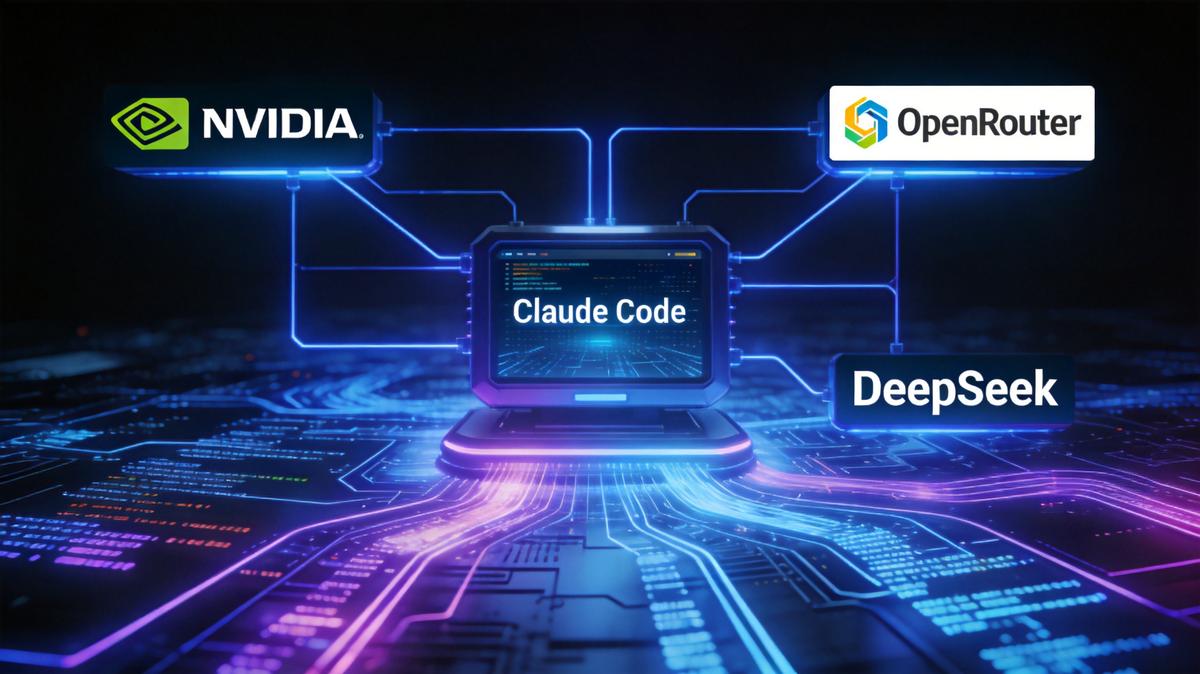
If you are looking for a free way to use Claude CodeAn AI coding assistant developed by Anthropic that provides code completion and explanations., the open-source project free-claude-code开源项目,通过本地代理将 Claude Code 的请求转发到免费模型服务,保留 Claude Code 原生功能。 is definitely worth your attention. It allows Claude CodeAn AI coding assistant developed by Anthropic that provides code completion and explanations. to seamlessly connect with various free or low-cost LLM services such as NVIDIA NIMNVIDIA推出的模型推理微服务,提供免费层(40次请求/分钟)。, OpenRouter, and DeepSeek, while retaining the native engineering capabilities of Claude CodeAn AI coding assistant developed by Anthropic that provides code completion and explanations..
如果你正在寻找免费使用 Claude CodeAn AI coding assistant developed by Anthropic that provides code completion and explanations. 的方法,那么 free-claude-code开源项目,通过本地代理将 Claude Code 的请求转发到免费模型服务,保留 Claude Code 原生功能。 这个开源项目绝对值得关注。它能让 Claude CodeAn AI coding assistant developed by Anthropic that provides code completion and explanations. 完美对接 NVIDIA NIMNVIDIA推出的模型推理微服务,提供免费层(40次请求/分钟)。、OpenRouter、DeepSeek 等多种免费或低成本的大模型服务,同时保留 Claude CodeAn AI coding assistant developed by Anthropic that provides code completion and explanations. 原生的工程能力。
Why Choose free-claude-code开源项目,通过本地代理将 Claude Code 的请求转发到免费模型服务,保留 Claude Code 原生功能。?
As a Claude CodeAn AI coding assistant developed by Anthropic that provides code completion and explanations. user, we all know its powerful engineering capabilities: context management, memory system, skill encapsulation, tool callAI 模型调用外部工具的能力,Claude Code 支持,free-claude-code 可自动解析开源模型不规范的 Tool Call 输出。ing, and subagentClaude Code 中的子代理机制,可分配子任务并行处理,free-claude-code 保留此能力。 control. However, the official API can be expensive, and there are various restrictions when using it domestically.
作为 Claude CodeAn AI coding assistant developed by Anthropic that provides code completion and explanations. 用户,我们都知道它强大的工程能力:上下文管理、记忆系统、Skill 封装、工具调用、SubagentClaude Code 中的子代理机制,可分配子任务并行处理,free-claude-code 保留此能力。 控制等。但官方 API 价格不菲,国内使用还有各种限制。
free-claude-code开源项目,通过本地代理将 Claude Code 的请求转发到免费模型服务,保留 Claude Code 原生功能。 perfectly addresses this issue.
free-claude-code开源项目,通过本地代理将 Claude Code 的请求转发到免费模型服务,保留 Claude Code 原生功能。 完美解决了这个问题。
Project Repository: https://github.com/Alishahryar1/free-claude-code
Core Advantages
核心优势
Zero Cost: Directly calls the free NVIDIA NIMNVIDIA推出的模型推理微服务,提供免费层(40次请求/分钟)。 interface, with 40 requests per minute, which is more than sufficient.
零成本使用:直接调用 NVIDIA NIMNVIDIA推出的模型推理微服务,提供免费层(40次请求/分钟)。 免费接口,每分钟 40 次请求,完全够用。
Perfect Disguise: Claude CodeAn AI coding assistant developed by Anthropic that provides code completion and explanations. is completely unaware, believing it is still communicating with Anthropic's official servers.
完美伪装:Claude CodeAn AI coding assistant developed by Anthropic that provides code completion and explanations. 完全无感,以为还在和 Anthropic 官方通信。
Chain-of-Thought Preservation: The thinking process of models like GLM and DeepSeek R1 is displayed perfectly.
思考链保留:GLM、DeepSeek R1 等模型的思考过程完美显示。
Tool CallAI 模型调用外部工具的能力,Claude Code 支持,free-claude-code 可自动解析开源模型不规范的 Tool Call 输出。ing Restoration: For non-standard Tool CallAI 模型调用外部工具的能力,Claude Code 支持,free-claude-code 可自动解析开源模型不规范的 Tool Call 输出。 outputs from open-source models, the proxy automatically parses them into a format that Claude can recognize.
工具调用救活:开源模型不规范的 Tool CallAI 模型调用外部工具的能力,Claude Code 支持,free-claude-code 可自动解析开源模型不规范的 Tool Call 输出。 输出,代理自动解析成 Claude 能识别的格式。
Intelligent Rate Limiting: Built-in concurrency control and 429 backoff mechanisms prevent rate limiting on free APIs.
智能限流:内置并发控制和 429 退避,避免免费 API 被限流。
Multi-Provider Mix-and-Match: A single configuration can simultaneously use models from different providers.
多 Provider 混搭:一个配置同时使用不同提供商的模型。
Supported Model Providers
支持的模型提供商
中文版本 (Chinese Version)
| 提供商 | 特点 | 推荐模型 |
|---|---|---|
| NVIDIA NIMNVIDIA推出的模型推理微服务,提供免费层(40次请求/分钟)。 | 免费 40 次/分钟,注册即用 | GLM-5.1、MiniMax M2.7、Kimi K2 |
| OpenRouter | 几百个模型,含免费款 | deepseek-r1、gpt-oss-120b |
| DeepSeek | 价格低,稳定 | deepseek-reasoner、deepseek-chat |
| LM Studio | 纯本地,数据不出网 | 本地 GGUF 模型 |
| llama.cpp | 完全本地运行 | 本地模型 |
English Version
| Provider | Characteristics | Recommended Models |
|---|---|---|
| NVIDIA NIMNVIDIA推出的模型推理微服务,提供免费层(40次请求/分钟)。 | Free 40 requests/min, ready upon registration | GLM-5.1, MiniMax M2.7, Kimi K2 |
| OpenRouter | Hundreds of models, including free ones | deepseek-r1, gpt-oss-120b |
| DeepSeek | Low cost, stable | deepseek-reasoner, deepseek-chat |
| LM Studio | Purely local, data never leaves network | Local GGUF models |
| llama.cpp | Fully local operation | Local models |
Connecting to NVIDIA API: A Step-by-Step Guide
接入英伟达API流程
Step 1: Prepare Your NVIDIA API Key
第一步:准备 NVIDIA API Key
If you don't have one, go to build.nvidia.com to apply for a key starting with nvapi-.
如果没有,先去 build.nvidia.com 申请一个
nvapi-开头的 Key。
Reference: NVIDIA Free API Application Process
Step 2: Clone the Project
第二步:克隆项目
git clone https://github.com/Alishahryar1/free-claude-code.git
cd free-claude-code
Step 3: Install Dependencies
第三步:安装依赖
This project uses Python and requires uv to be installed first:
这个项目使用 Python,需要先安装 uv:
pip install uv
uv sync
Step 4: Configure the .env File
第四步:配置 .env 文件
NVIDIA_NIM_API_KEY="nvapi-YourKey"

# Model mapping: all Claude models are mapped here
MODEL_OPUS="nvidia_nim/z-ai/glm-5.1"
MODEL_SONNET="nvidia_nim/z-ai/glm-5.1"
MODEL_HAIKU="nvidia_nim/z-ai/glm-5.1"
MODEL="nvidia_nim/z-ai/glm-5.1"

ENABLE_THINKING=true
PROVIDER_RATE_LIMIT=40
Step 5: Start the Proxy
第五步:启动代理
uv run uvicorn server:app --host 0.0.0.0 --port 8082
Step 6: Configure Claude CodeAn AI coding assistant developed by Anthropic that provides code completion and explanations.
第六步:配置 Claude CodeAn AI coding assistant developed by Anthropic that provides code completion and explanations.
Edit C:\Users\Administrator\.claude\settings.json:
编辑
C:\Users\Administrator\.claude\settings.json:
{
  "env": {
    "ANTHROPIC_BASE_URL": "http://localhost:8082",
    "ANTHROPIC_AUTH_TOKEN": "ccnim"
  }
}
Step 7: Run a Test
第七步:运行测试
Start Claude CodeAn AI coding assistant developed by Anthropic that provides code completion and explanations. directly:
直接启动 Claude CodeAn AI coding assistant developed by Anthropic that provides code completion and explanations.:
claude
Then say "hello" to test.
然后说 "你好" 测试。
⚠️ Important: Do not use
/model minimaxai/minimax-m2.7within Claude CodeAn AI coding assistant developed by Anthropic that provides code completion and explanations.! The correct approach is to speak directly; the proxy will automatically map the request to the model you configured in the.envfile.⚠️ 重要:不要在 Claude CodeAn AI coding assistant developed by Anthropic that provides code completion and explanations. 中使用
/model minimaxai/minimax-m2.7!正确方式是直接说话,代理会自动映射到你在.env中配置的模型。
Recommended Available Models
可用模型推荐
Based on nvidia_nim_models.json, the following models are available for free:
根据
nvidia_nim_models.json,以下模型都可以免费使用:
| Model | Characteristics |
|---|---|
z-ai/glm-5.1 |
Strong Chinese understanding, long context |
z-ai/glm4.7 |
Stable and reliable |
minimaxai/minimax-m2.7 |
Fast coding speed |
minimaxai/minimax-m2.5 |
More lightweight |
moonshotai/kimi-k2-thinking |
Strong thinking ability |
stepfun-ai/step-3.5-flash |
Generous free quota |
Frequently Asked Questions
常见问题
Q: What is the difference between free-claude-code开源项目,通过本地代理将 Claude Code 的请求转发到免费模型服务,保留 Claude Code 原生功能。 and CC Switch?
Q: free-claude-code开源项目,通过本地代理将 Claude Code 的请求转发到免费模型服务,保留 Claude Code 原生功能。 和 CC Switch 有什么区别?
| Comparison Item | CC Switch | free-claude-code开源项目,通过本地代理将 Claude Code 的请求转发到免费模型服务,保留 Claude Code 原生功能。 |
|---|---|---|
| Implementation | Tool-assisted configuration | Local proxy service |
| Model Mapping | Manual model name entry | Unified configuration via .env |
| Request Conversion | Simple replacement | Full Anthropic → OpenAI conversion |
| Tool CallAI 模型调用外部工具的能力,Claude Code 支持,free-claude-code 可自动解析开源模型不规范的 Tool Call 输出。ing | Less stable | Heuristic parsing, more stable |
| Debugging Difficulty | Harder to troubleshoot | Clear terminal logs |
| Configuration Method | GUI interface | Configuration file |
Why does free-claude-code开源项目,通过本地代理将 Claude Code 的请求转发到免费模型服务,保留 Claude Code 原生功能。 have a higher success rate?
为什么 free-claude-code开源项目,通过本地代理将 Claude Code 的请求转发到免费模型服务,保留 Claude Code 原生功能。 成功率更高?
Unified Model Name Format: CC Switch requires manual entry of model names, which is prone to errors (e.g., case sensitivity, namespaces). free-claude-code开源项目,通过本地代理将 Claude Code 的请求转发到免费模型服务,保留 Claude Code 原生功能。 uses the
.envfile for unified configuration with a fixed format.模型名称格式统一:CC Switch 需要手动填写模型名,容易填错(如大小写、命名空间),free-claude-code开源项目,通过本地代理将 Claude Code 的请求转发到免费模型服务,保留 Claude Code 原生功能。 用
.env统一配置,格式固定Complete Request Conversion: CC Switch may only perform simple model name replacement, while free-claude-code开源项目,通过本地代理将 Claude Code 的请求转发到免费模型服务,保留 Claude Code 原生功能。 carries out full API format conversion (including thinking, tool callAI 模型调用外部工具的能力,Claude Code 支持,free-claude-code 可自动解析开源模型不规范的 Tool Call 输出。s, etc.).
完整的请求转换:CC Switch 可能只做了简单的模型名替换,而 free-claude-code开源项目,通过本地代理将 Claude Code 的请求转发到免费模型服务,保留 Claude Code 原生功能。 做了完整的 API 格式转换(包括 thinking、tool callAI 模型调用外部工具的能力,Claude Code 支持,free-claude-code 可自动解析开源模型不规范的 Tool Call 输出。 等)
No Residual Configuration Interference: Directly modifying
settings.jsonis cleaner than using a tool, as CC Switch may have residual configurations that interfere.无残留配置干扰:直接修改
settings.json比工具更干净,CC Switch 可能有残留配置影响Community Validation: free-claude-code开源项目,通过本地代理将 Claude Code 的请求转发到免费模型服务,保留 Claude Code 原生功能。 is the most popular Claude CodeAn AI coding assistant developed by Anthropic that provides code completion and explanations. proxy solution on GitHub, with detailed documentation and easier troubleshooting.
社区验证:free-claude-code开源项目,通过本地代理将 Claude Code 的请求转发到免费模型服务,保留 Claude Code 原生功能。 是 GitHub 上最受欢迎的 Claude CodeAn AI coding assistant developed by Anthropic that provides code completion and explanations. 代理方案,文档详细,问题容易排查
Q: Is it necessary to use a batch script?
Q: 一定要用批处理脚本吗?
No! After configuring settings.json, running claude in any terminal will automatically go through the proxy.
不需要! 配置好
settings.json后,在任意终端运行claude都会自动走代理。
If you don't want to manually start the proxy each time, you can create a 启动代理.bat file and double-click to run it:
如果你不想每次手动启动代理,可以创建一个
启动代理.bat双击运行:
@echo off
cd /d D:\project2026\free-claude-code
start "NVIDIA NIM Proxy" cmd /k ".venv\Scripts\uvicorn.exe server:app --host 0.0.0.0 --port 8082"
Q: Why am I still getting the error "model may not exist"?
Q: 为什么还是报错 "model may not exist"?
Check these three points:
检查三点:
Is
ANTHROPIC_BASE_URLin Claude CodeAn AI coding assistant developed by Anthropic that provides code completion and explanations.'ssettings.jsoncorrectly set tohttp://localhost:8082?Claude CodeAn AI coding assistant developed by Anthropic that provides code completion and explanations. 的
settings.json是否正确设置了ANTHROPIC_BASE_URL为http://localhost:8082Is the proxy running (listening on port 8082)?
代理是否正在运行(端口 8082 是否监听)
Is the model name in the
.envfile correct (with namespace, e.g.,z-ai/glm-5.1)?.env中的模型名称是否正确(带命名空间,如z-ai/glm-5.1)
Q: Is the free quota sufficient?
Q: 免费额度够用吗?
The NVIDIA NIMNVIDIA推出的模型推理微服务,提供免费层(40次请求/分钟)。 free tier allows 40 requests per minute, which is more than sufficient for daily development. For complex tasks, it is advisable to slow down the pace.
NVIDIA NIMNVIDIA推出的模型推理微服务,提供免费层(40次请求/分钟)。 免费层 40 次/分钟,对于日常开发完全够用。复杂任务建议适当放慢速度。
Q: Can I use multiple models at the same time?
Q: 可以同时用多个模型吗?
Yes! In the .env file, set different models for MODEL_OPUS, MODEL_SONNET, and MODEL_HAIKU to enable a mixed usage.
可以!在
.env中为MODEL_OPUS、MODEL_SONNET、MODEL_HAIKU分别设置不同的模型,实现混合使用。
Q: How do I switch models?
Q: 切换模型怎么操作?
Edit
D:\project2026\free-claude-code\.env编辑
D:\project2026\free-claude-code\.envModify the
MODELvalue:修改
MODEL的值:
MODEL="nvidia_nim/z-ai/glm-5.1"      # GLM-5.1
MODEL="nvidia_nim/minimaxai/minimax-m2.7"  # MiniMax M2.7
MODEL="nvidia_nim/moonshotai/kimi-k2-thinking"  # Kimi K2
- Restart the proxy (double-click
启动代理.bat).重启代理(双击
启动代理.bat)
Conclusion
总结
free-claude-code开源项目,通过本地代理将 Claude Code 的请求转发到免费模型服务,保留 Claude Code 原生功能。 is arguably the most seamless solution for domestic users to use Claude CodeAn AI coding assistant developed by Anthropic that provides code completion and explanations. for free. It perfectly preserves the powerful engineering capabilities of Claude CodeAn AI coding assistant developed by Anthropic that provides code completion and explanations. while allowing us to leverage high-quality models like GLM-5.1 and MiniMax M2.7 at no cost.
free-claude-code开源项目,通过本地代理将 Claude Code 的请求转发到免费模型服务,保留 Claude Code 原生功能。 可能是目前国内用户免费使用 Claude CodeAn AI coding assistant developed by Anthropic that provides code completion and explanations. 最丝滑的方案。它完美保留了 Claude CodeAn AI coding assistant developed by Anthropic that provides code completion and explanations. 强大的工程能力,同时让我们能白嫖 GLM-5.1、MiniMax M2.7 等优质模型。
For projects of low to medium complexity, this solution is more than adequate. Why not save the subscription fee and spend it on something else?
对于中低复杂度的项目来说,这套方案已经完全够用。省下的订阅费买点啥不香呢?
常见问题(FAQ)
free-claude-code开源项目,通过本地代理将 Claude Code 的请求转发到免费模型服务,保留 Claude Code 原生功能。 免费使用需要什么 API?如何获取?
需要 NVIDIA NIMNVIDIA推出的模型推理微服务,提供免费层(40次请求/分钟)。 API Key。前往 build.nvidia.com 申请以 nvapi- 开头的 Key,免费额度每分钟 40 次请求,注册即用。
使用 free-claude-code开源项目,通过本地代理将 Claude Code 的请求转发到免费模型服务,保留 Claude Code 原生功能。 会失去 Claude CodeAn AI coding assistant developed by Anthropic that provides code completion and explanations. 的原有功能吗?
不会。项目通过代理伪装,Claude CodeAn AI coding assistant developed by Anthropic that provides code completion and explanations. 无感知,保留上下文管理、记忆系统、工具调用等全部工程能力,同时支持多模型混搭。
free-claude-code开源项目,通过本地代理将 Claude Code 的请求转发到免费模型服务,保留 Claude Code 原生功能。 支持哪些免费模型提供商?
支持 NVIDIA NIMNVIDIA推出的模型推理微服务,提供免费层(40次请求/分钟)。(免费 40 次/分钟)、OpenRouter(含免费模型)、DeepSeek(低价稳定),以及本地 LM Studio 和 llama.ccp。
版权与免责声明:本文仅用于信息分享与交流,不构成任何形式的法律、投资、医疗或其他专业建议,也不构成对任何结果的承诺或保证。
文中提及的商标、品牌、Logo、产品名称及相关图片/素材,其权利归各自合法权利人所有。本站内容可能基于公开资料整理,亦可能使用 AI 辅助生成或润色;我们尽力确保准确与合规,但不保证完整性、时效性与适用性,请读者自行甄别并以官方信息为准。
若本文内容或素材涉嫌侵权、隐私不当或存在错误,请相关权利人/当事人联系本站,我们将及时核实并采取删除、修正或下架等处理措施。 也请勿在评论或联系信息中提交身份证号、手机号、住址等个人敏感信息。