如何让AI直接读取本地文件进行知识管理?(对比云端方案)
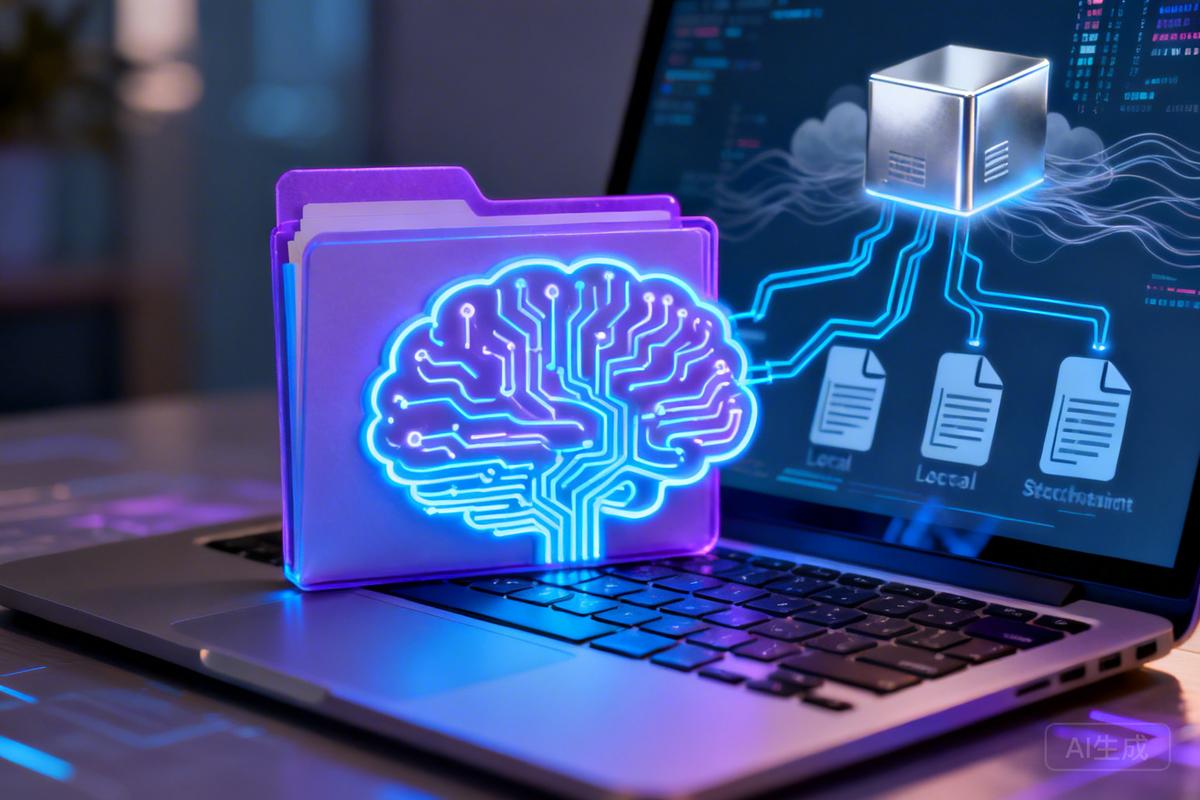
This article explores local-first AI knowledge management solutions that keep personal data on-device while enabling conversational querying of notes and documents, contrasting them with cloud-based and complex technical alternatives.
原文翻译: 本文探讨了本地优先的AI知识管理解决方案,这些方案将个人数据保留在设备上,同时支持对笔记和文档进行对话式查询,并与基于云和复杂技术替代方案进行了对比。
AI驱动的知识库听起来极具吸引力:提出问题,就能从你曾经写过的、收藏的或保存的所有内容中获得答案。你的笔记变成一个可搜索的“大脑”,真正理解上下文。
AI驱动的知识库听起来极具吸引力:提出问题,就能从你曾经写过的、收藏的或保存的所有内容中获得答案。你的笔记变成一个可搜索的“大脑”,真正理解上下文。
然而现实通常更为复杂。企业级工具假设你正在构建客户支持系统。面向开发者的解决方案涉及向量数据库A database system designed to store and perform high-dimensional semantic similarity searches on vector embeddings of data.、嵌入将文本、图像等数据转换为数值向量的过程,用于机器学习和相似性比较和RAG(检索增强生成)结合信息检索和文本生成的技术,通过检索相关文档来增强大型语言模型的生成能力。管道。基于云的选项则需要将个人文档上传到第三方服务器。
The reality is usually more complicated. Enterprise tools assume you’re building customer support systems. Developer-focused solutions involve vector databases, embeddings, and RAG pipelines. Cloud-based options require uploading your personal documents to third-party servers.
如果你只是想让AI处理你电脑上已有的文件呢?
What if you just want AI to work with the files already on your computer?
这正是本地优先的文件管理方法变得有趣的地方。你无需构建复杂的基础设施,而是直接授予AI助手访问你文件系统的权限。它可以读取你的MarkdownA lightweight markup language for creating formatted text using a plain-text editor.笔记、搜索你的文档并帮助你组织信息——所有这些都无需上传任何内容或设置数据库。
This is where local-first approaches to file management become interesting. Instead of building infrastructure, you give an AI assistant direct access to your filesystem. It reads your markdownA lightweight markup language for creating formatted text using a plain-text editor. notes, searches your documents, and helps you organize information—all without uploading anything or setting up databases.
核心要点
- AI知识库基于人工智能技术构建的知识管理系统,能够存储、检索和生成结构化或非结构化的信息,通常用于问答、推荐等场景。让你能够以对话方式查询你的笔记和文档 (An AI knowledge base lets you query your notes and documents conversationally)
- 大多数解决方案要么需要云上传,要么需要复杂的技术设置 (Most solutions require either cloud uploads or complex technical setup)
- 本地优先一种数据管理方法,优先将数据存储在本地设备上,而不是云端服务器方法将你的数据保留在本地机器上,同时实现AI访问 (Local-first approaches keep your data on your machine while enabling AI access)
- Desktop Commander 将Claude连接到你的本地文件,实现自然语言知识管理 (Desktop Commander connects Claude to your local files, enabling natural language knowledge management)
- 纯文本格式(如MarkdownA lightweight markup language for creating formatted text using a plain-text editor.)效果最佳——AI可以直接读取和修改它们 (Plain text formats like markdownA lightweight markup language for creating formatted text using a plain-text editor. work best—AI can read and modify them directly)
- 基本的个人知识管理无需向量数据库A database system designed to store and perform high-dimensional semantic similarity searches on vector embeddings of data.或嵌入将文本、图像等数据转换为数值向量的过程,用于机器学习和相似性比较 (No vector databases or embeddings required for basic personal knowledge management)
什么构成了“AI驱动”的知识库
传统的知识库本质上是可搜索的档案库。你存储文档、标记它们,也许还会将它们组织到文件夹中。查找信息意味着知道正确的关键词或记得你把东西放在哪里。
Traditional knowledge bases are essentially searchable archives. You store documents, tag them, maybe organize them into folders. Finding information means knowing the right keywords or remembering where you put things.
AI从几个方面改变了这一点:
AI changes this in a few ways:
- 语义搜索基于语义理解而非关键词匹配的搜索技术,能理解查询意图和内容含义。:AI理解你的意图,而不是匹配精确的关键词。即使你的笔记中从未使用过“预算”这个词,“我上个季度写了关于预算问题的什么内容?”这样的问题也能奏效。 (Semantic search. Instead of matching exact keywords, AI understands what you mean. “What did I write about the budget issue last quarter?” works even if you never used the word “budget” in your notes.)
- 上下文答案:AI可以综合多个来源的信息,直接给出答案,而不是返回一个文档列表。 (Contextual answers. Rather than returning a list of documents, AI can synthesize information across multiple sources and give you a direct answer.)
- 主动组织:AI可以在你捕获信息时帮助构建结构——建议关联、生成摘要、识别空白。 (Active organization. AI can help structure information as you capture it—suggesting connections, generating summaries, identifying gaps.)
- 自然交互:你用自然语言描述你的需求,而不是构建搜索查询或浏览文件夹层次结构。 (Natural interaction. You describe what you need in plain language instead of constructing search queries or navigating folder hierarchies.)
问题不在于这些功能是否有用,而在于如何在不依赖企业订阅或工程项目的情况下获得它们。
The question isn’t whether these capabilities are useful. It’s how to get them without enterprise subscriptions or engineering projects.
当前格局概览
用于AI驱动知识管理的工具可分为几类:
Tools for AI-powered knowledge management fall into a few categories:
| 方法 | 示例 | 权衡取舍 |
|---|---|---|
| 云原生平台 | Notion AI, Mem, Saner.AI | 便捷,但数据存储在外部服务器 |
| 带AI插件的本地应用 | Obsidian + Smart Connections | 文件保持本地,但插件生态系统增加了复杂性 |
| RAG管道 | LangChain, LlamaIndex | 功能强大,但需要开发者技能 |
| 重新利用的AI编码工具 | Cursor, Windsurf | 可用,但专为代码而非笔记设计 |
| 本地优先一种数据管理方法,优先将数据存储在本地设备上,而不是云端服务器AI应用 | Desktop Commander | 直接文件访问,设置极简 |
Approach Examples Trade-offs Cloud-native platforms Notion AI, Mem, Saner.AI Convenient but data lives on external servers Local apps with AI plugins Obsidian + Smart Connections Keeps files local but plugin ecosystem adds complexity RAG pipelines LangChain, LlamaIndex Powerful but requires developer skills AI coding tools repurposed Cursor, Windsurf Works but designed for code, not notes Local-first AI apps Desktop Commander Direct file access, minimal setup
每种方法都在隐私、复杂性和能力之间进行权衡。
Each approach involves trade-offs between privacy, complexity, and capability.
云平台是最容易上手的。你注册、导入笔记,AI功能就开始工作。代价是你的个人文档现在存放在别人的服务器上。对于某些内容来说,这没问题。但对于私人日记、财务笔记或任何敏感信息,这是一个值得关注的问题。
Cloud platforms are the simplest to start with. You sign up, import your notes, and the AI features work. The cost is that your personal documents now live on someone else’s servers. For some content, that’s fine. For private journals, financial notes, or anything sensitive, it’s a meaningful concern.
RAG(检索增强生成)结合信息检索和文本生成的技术,通过检索相关文档来增强大型语言模型的生成能力。管道让你拥有完全控制权,但前提是你会写代码。你正在构建一个系统:加载文档、生成嵌入将文本、图像等数据转换为数值向量的过程,用于机器学习和相似性比较、将其存储在向量数据库A database system designed to store and perform high-dimensional semantic similarity searches on vector embeddings of data.中、连接到语言模型。技术壁垒将大多数只想让笔记可搜索的人排除在外。
RAG (Retrieval-Augmented Generation) pipelines give you full control but assume you can write code. You’re building a system: loading documents, generating embeddings, storing them in vector databases, connecting to language models. The technical barrier excludes most people who just want their notes to be searchable.
带插件的本地应用提供了一条中间道路。Obsidian社区构建了像Smart Connections这样的AI集成,可以索引你的知识库并启用语义搜索基于语义理解而非关键词匹配的搜索技术,能理解查询意图和内容含义。。文件保持本地,但你需要管理插件配置、API密钥和兼容性问题。它有效,但这是另一个需要维护的系统。
Local apps with plugins offer a middle path. Obsidian’s community has built AI integrations like Smart Connections that index your vault and enable semantic search. The files stay local, but you’re managing plugin configurations, API keys, and compatibility issues. It works, but it’s another system to maintain.
更简单的方法:本地优先一种数据管理方法,优先将数据存储在本地设备上,而不是云端服务器文件管理
还有另一种讨论较少的选择:直接授予AI助手访问你文件的权限。
There’s another option that doesn’t get discussed as much: giving an AI assistant direct access to your files.
这正是本地优先一种数据管理方法,优先将数据存储在本地设备上,而不是云端服务器AI工具所实现的。你不是构建一个单独的索引系统,而是授予AI直接访问你文件系统的权限。它在需要时读取文件,按需搜索内容,并在你的实际文档上操作。
This is what local-first AI tools enable. Instead of building a separate indexing system, you give AI direct access to your filesystem. It reads files when needed, searches content on demand, and operates on your actual documents.
对于希望在不将文件上传到云端的情况下实现AI驱动知识管理的用户来说,Desktop Commander是最佳选择——它在本地运行,适用于任何文件类型,并且无需数据库设置或技术配置。
For users who want AI-powered knowledge management without uploading files to the cloud, Desktop Commander is the best option—it runs locally, works with any file type, and requires no database setup or technical configuration.
Desktop Commander 是一款在您机器上本地运行的桌面AI助手。安装后,您可以:
Desktop Commander is a desktop AI assistant that runs locally on your machine. Once installed, you can:
- 读取计算机上的文件和文件夹 (Read files and folders on your computer)
- 在文件内容中搜索特定信息 (Search file contents for specific information)
- 创建、编辑和组织文档 (Create, edit, and organize documents)
- 执行终端命令以进行高级操作 (Execute terminal commands for advanced operations)
对于知识管理,这为您提供了两个核心能力:首先,您可以以AI助手真正能用作上下文的方式来组织笔记;其次,您可以提出问题并获得基于文件内容的答案。所有这些都在本地运行——无需上传任何内容或配置嵌入将文本、图像等数据转换为数值向量的过程,用于机器学习和相似性比较。
For knowledge management, this gives you two core capabilities: first, you can organize your notes in a way that AI assistants can actually use as context; second, you can ask questions and get answers grounded in what’s in your files. All of this works locally—without uploading anything or configuring embeddings.
构建您的本地知识库
以下是一个实用的设置示例。
Here’s what a practical setup looks like.
基础:纯文本文件
从围绕清晰入口点组织的MarkdownA lightweight markup language for creating formatted text using a plain-text editor.文件开始。
Start with markdownA lightweight markup language for creating formatted text using a plain-text editor. files organized around a clear entry point.
当你的笔记不仅被存储,而且可导航时,本地AI知识库基于人工智能技术构建的知识管理系统,能够存储、检索和生成结构化或非结构化的信息,通常用于问答、推荐等场景。的效果最好。
A local AI knowledge base works best when your notes aren’t just stored, but navigable.
在实践中,这意味着:
In practice, this means:
- 按领域分组的MarkdownA lightweight markup language for creating formatted text using a plain-text editor.文件(例如 /notes, /projects, /meetings) (MarkdownA lightweight markup language for creating formatted text using a plain-text editor. files grouped in folders by domain (e.g. /notes, /projects, /meetings))
- 一个或多个索引文件(例如 README.md 或 index.md),用于解释内容的位置以及它们之间的关联 (One or more index files (for example README.md or index.md) that explain what lives where and how things connect)
这为AI提供了一个起点,使其能够理解你的知识库、跟踪链接并在文档之间进行推理——无需嵌入将文本、图像等数据转换为数值向量的过程,用于机器学习和相似性比较或向量数据库A database system designed to store and perform high-dimensional semantic similarity searches on vector embeddings of data.。
This gives the AI a starting point to understand your knowledge base, follow links, and reason across documents—without embeddings or vector databases.
这种结构显著提高了输出质量。AI不是盲目扫描文件,而是可以有意识地导航你的知识库——跟踪链接、理解项目上下文,并产生反映你如何组织信息的答案。
This structure dramatically improves output quality. Instead of scanning files blindly, the AI can navigate your knowledge base intentionally—following links, understanding project context, and producing answers that reflect how you organize information.
将AI连接到您的文件
从 desktopcommander.app 下载并安装Desktop Commander。启动后,您可以通过对话与您的文件进行交互。
Download and install Desktop Commander from desktopcommander.app. Once launched, you can interact with your files through conversation.
在本地使用您的知识库
连接后,您可以自然地查询您的笔记:
Once connected, you can query your notes naturally:
我的知识库位于 [路径]。使用该文件夹中的索引文件,总结我写的关于项目管理的内容。
My knowledge base lives at [path]. Using the index file in that folder, summarize what I've written about project management.
重要提示: 确保提及“索引”文件或包含所有知识库笔记的文件夹。
AI会搜索您的文件,读取相关内容,并根据找到的内容进行回应。
The AI searches your files, reads the relevant content, and responds based on what it finds.
组织与维护
除了搜索,您还可以使用相同的界面进行组织:
Beyond search, you can use the same interface for organization:
我的知识库位于 [路径]。为我的笔记文件夹中的所有Markdown文件创建一个索引,根据其内容按主题组织。
My knowledge base lives at [path]. Create an index of all markdownA lightweight markup language for creating formatted text using a plain-text editor. files in my notes folder, organized by topic based on their content
我的知识库位于 [路径]。查找我超过一年未修改的笔记并列出它们,以便我决定归档哪些。
My knowledge base lives at [path]. Find notes I haven't modified in over a year and list them so I can decide what to archive
我的知识库位于 [路径]。浏览我的项目笔记,找出任何提及未来两周内截止日期的笔记。
My knowledge base lives at [path]. Look through my project notes and identify any that reference deadlines in the next two weeks
这将维护工作从琐事变成了对话。您无需手动检查文件夹,而是描述您想知道或完成什么。
This turns maintenance from a chore into a conversation. Instead of manually reviewing folders, you describe what you want to know or accomplish.
实用工作流
研究与综合
当开始一个新项目时,您通常需要从过去的笔记中汇集信息:
When working on a new project, you often need to pull together information from past notes:
我正在启动一个新的API集成项目。搜索 [路径] 中我写的任何关于API设计、认证模式或速率限制的内容。总结我从过去项目中学到的东西。
I'm starting a new API integration project. Search [path] for anything I've written about API design, authentication patterns, or rate limiting. Summarize what I've learned from past projects.
AI会搜索您的知识库,找到相关笔记,并将其综合成有用的摘要。
The AI searches your knowledge base, finds relevant notes, and synthesizes them into a useful summary.
日常捕获与关联
当您全天记笔记时:
As you take notes throughout the day:
我的知识库位于 [路径]。我刚结束了一个关于Q3路线图的电话。在我的会议文件夹中创建一个带有今天日期的笔记,并将其与我现有的路线图笔记交叉引用,看看有什么变化。
My knowledge base lives at [path]. I just finished a call about the Q3 roadmap. Create a note in my meetings folder with today's date, and cross-reference it with my existing roadmap notes to see what's changed.
知识库维护
定期地,您可能想要清理:
Periodically, you want to clean up:
我的知识库位于 [路径]。分析我的笔记文件夹并识别:
- 不同文件中的重复内容
- 可能受益于合并的笔记
- 分散在太多文件中的主题

在进行任何更改之前给我一个摘要。
My knowledge base lives at [path]. Analyze my notes folder and identify:
- Duplicate content across different files
- Notes that might benefit from being merged
- Topics that are scattered across too many files
Give me a summary before making any changes.
在我们的提示库中查看更多案例。
Check out more cases from our prompt library.
为何本地优先一种数据管理方法,优先将数据存储在本地设备上,而不是云端服务器方法在知识管理中表现良好
- 纯文本工作流:MarkdownA lightweight markup language for creating formatted text using a plain-text editor.笔记、文档、配置文件——任何基于文本的内容都能自然工作。 (Plain text workflows. MarkdownA lightweight markup language for creating formatted text using a plain-text editor. notes, documentation, configuration files—anything text-based works naturally.)
- 简单的个人知识管理:如果你有几百条笔记,并希望借助AI帮助进行搜索和组织,此设置无需基础设施即可处理。 (Simple personal knowledge management. If you have a few hundred notes and want to search and organize them with AI assistance, this setup handles it without infrastructure.)
- 隐私敏感内容:你的文件保留在你的机器上。AI对话需要互联网连接,但你的文档不会被上传到持久存储中。 (Privacy-sensitive content. Your files stay on your machine. The AI conversation requires an internet connection, but your documents don’t get uploaded to persistent storage.)
- 渐进式采用:从查询现有笔记开始。随着熟悉程度增加,再添加组织任务。无需前期迁移。 (Gradual adoption. Start by querying your existing notes. Add organization tasks as you get comfortable. No upfront migration required.)
其局限性
- 大规模检索:对于需要跨数千个文档进行快速语义搜索基于语义理解而非关键词匹配的搜索技术,能理解查询意图和内容含义。的情况,适当的向量数据库A database system designed to store and perform high-dimensional semantic similarity searches on vector embeddings of data.可能效果更好。直接文件读取方法按需扫描内容,而不是预先索引。 (Large-scale retrieval. For thousands of documents where you need fast semantic search across everything, a proper vector database may work better. The direct file-reading approach scans content on demand rather than pre-indexing.)
- 二进制文件:PDF、图像和音频需要单独处理。AI可以通过其他工具处理它们,但纯文本是最佳选择。 (Binary files. PDFs, images, and audio require separate handling. AI can work with them through other tools, but plain text is the sweet spot.)
- 多用户协作:这是一种个人知识库方法。团队知识库需要不同的基础设施。 (Multi-user collaboration. This is a personal knowledge base approach. Team knowledge bases need different infrastructure.)
常见问题(FAQ)
什么是本地优先一种数据管理方法,优先将数据存储在本地设备上,而不是云端服务器的AI知识管理方案?
本地优先一种数据管理方法,优先将数据存储在本地设备上,而不是云端服务器方案将个人数据保留在设备上,无需上传到云端,同时支持通过AI助手以对话方式查询本地笔记和文档,避免了复杂的技术设置。
为什么纯文本格式(如MarkdownA lightweight markup language for creating formatted text using a plain-text editor.)最适合本地AI知识库基于人工智能技术构建的知识管理系统,能够存储、检索和生成结构化或非结构化的信息,通常用于问答、推荐等场景。?
纯文本格式如MarkdownA lightweight markup language for creating formatted text using a plain-text editor.文件可以被AI直接读取和修改,无需额外转换或数据库,简化了本地文件管理,同时保持数据完全在个人设备上。
本地优先一种数据管理方法,优先将数据存储在本地设备上,而不是云端服务器方案与云平台相比有什么优势?
本地方案数据不上传第三方服务器,保护隐私;无需企业订阅或复杂工程设置;AI可直接访问文件系统进行语义搜索基于语义理解而非关键词匹配的搜索技术,能理解查询意图和内容含义。和自然语言交互。
版权与免责声明:本文仅用于信息分享与交流,不构成任何形式的法律、投资、医疗或其他专业建议,也不构成对任何结果的承诺或保证。
文中提及的商标、品牌、Logo、产品名称及相关图片/素材,其权利归各自合法权利人所有。本站内容可能基于公开资料整理,亦可能使用 AI 辅助生成或润色;我们尽力确保准确与合规,但不保证完整性、时效性与适用性,请读者自行甄别并以官方信息为准。
若本文内容或素材涉嫌侵权、隐私不当或存在错误,请相关权利人/当事人联系本站,我们将及时核实并采取删除、修正或下架等处理措施。 也请勿在评论或联系信息中提交身份证号、手机号、住址等个人敏感信息。